

What you can ask for
Post ideas
Ideas grounded in your brand and what you’ve already published.
Fresh angles
New or contrarian takes on a topic you’ve covered before.
Lead magnet ideas
Concepts matched to your audience, offer, and their pain points.
Carousel ideas
Concepts that suit a multi-slide format.
Infographic ideas
Insights, comparisons, and frameworks that are worth showing visually.
- “Give me 10 post ideas about hiring”
- “I’ve written about pricing a lot — give me a fresh angle on it”
- “What’s a contrarian take on remote work I could defend?”
- “Lead magnet ideas for early-stage B2B founders”
- “What could I turn into an infographic this week?”
What comes back
Each idea arrives as more than a title.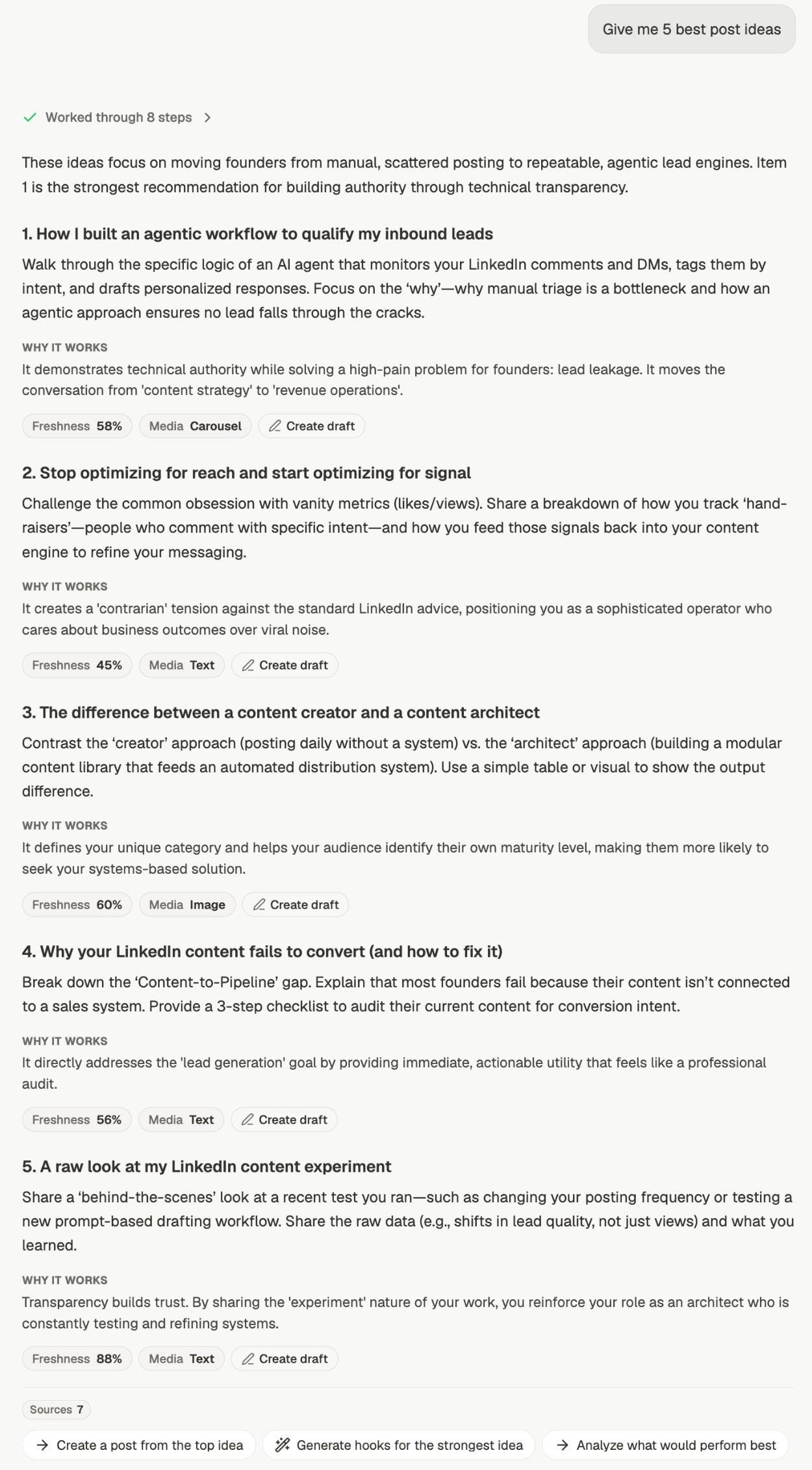
- Why it works — the reasoning behind the idea, so you can judge it rather than guess
- Freshness — a score for how well-worn the angle is. A low score isn’t a veto; it means the ground is well covered and you’ll need a sharper take
- Media — the format the idea suits, such as Text or Document
- Create draft — turns that single idea into a draft, without retyping it

The shape follows the ask
The anatomy stays the same whatever you ask for, but the parts adapt. Ask for lead magnets and the button becomes Create lead magnet, and the media types shift toward documents and carousels: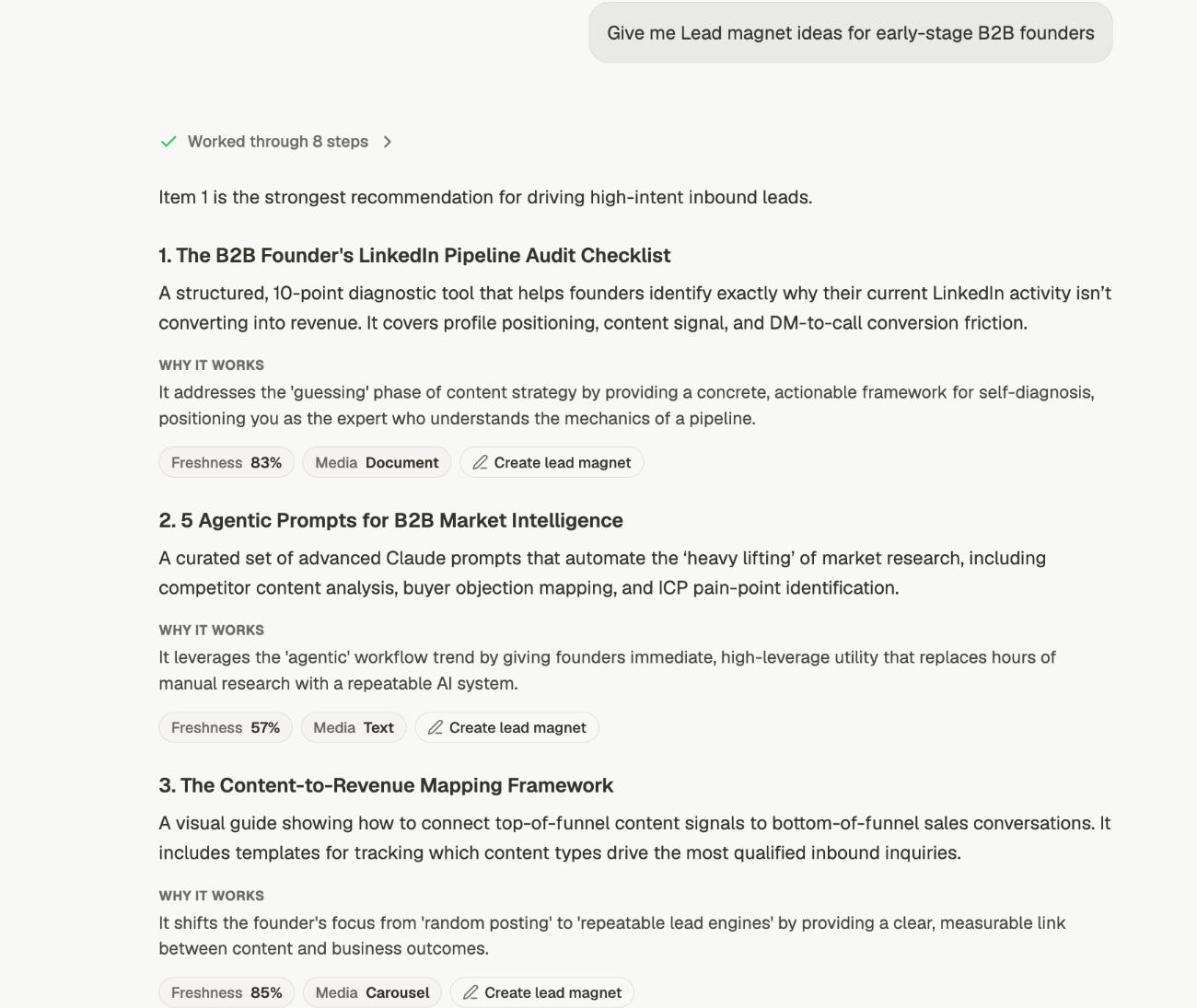
Ask for more than you need
Ask for ten ideas and take two. Asking for three tends to produce three safe ones, because there’s no room for range. A longer list gives you the odd one that’s actually interesting. If everything comes back samey, say so — “these are too similar, push further” — rather than starting a new chat. The thread already knows what it just gave you.Sharpening what you get
Name the audience
Name the audience
“Post ideas” gets a spread. “Post ideas for technical founders who hate marketing”
gets ideas you can actually write.
Say what it's for
Say what it's for
Ideas for building authority look different from ideas for driving signups. Say which.
Rule things out
Rule things out
“Nothing about AI” or “no listicles” is a legitimate instruction and it works.
Adjust the context
Adjust the context
Past Posts stops it repeating you. Web Search ties ideas to current events —
turn it off if you want evergreen ones. See context.
From idea to post
Ideas live in the same thread as everything else, so you can go straight on:1
Pick one
Use Create draft on the idea itself, or say which — “write the third one” — rather
than restating it.
2
Shape it before drafting
Ask for the angle or the hook first if you’re not sure it’s right yet.
3
Draft it
Ask for the post, a carousel, an infographic, or all of them.
Related
Analyze your content
The read that makes ideas sharper.
Find what's trending
Patterns worth building an angle on.
How chat works
Starting a chat and what else you can ask for.
Give chat the right context
Control what ideas are built from.