

Start from an idea
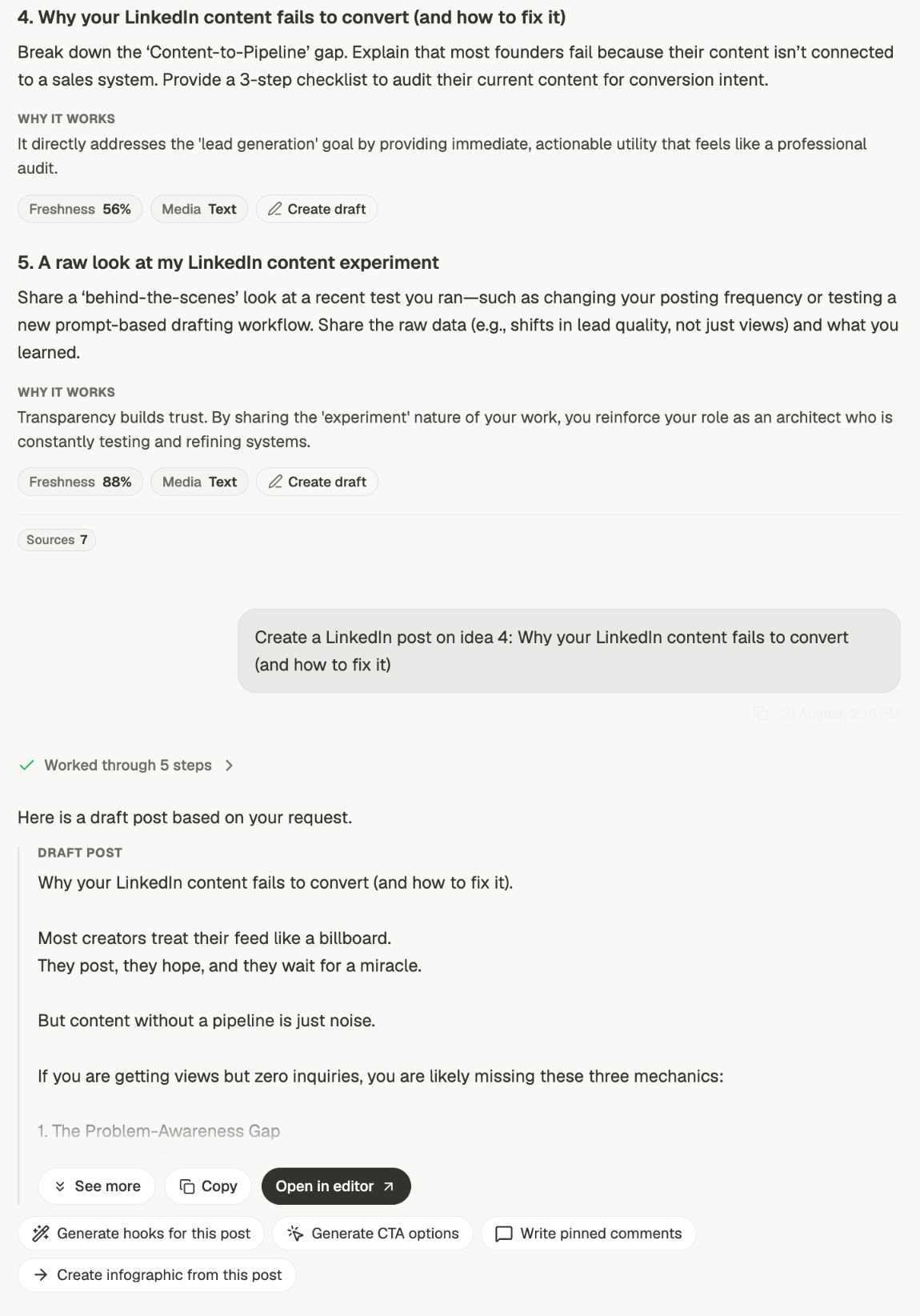
The route that works best is two steps, not one. Ask for ideas, pick one, turn it into a post.1
Ask for ideas
“Give me 5 best post ideas”. Each comes back with the reasoning behind it, a freshness
score and a suggested format. See get ideas and angles.
2
Pick one and say which
Press Create draft on the idea, or name it: “Create a LinkedIn post on idea 4”.
The thread already holds the idea, so there’s nothing to retype.
Or bring your own topic
You don’t have to start from ideas. Give it a subject and it writes:- ✅ “Write a LinkedIn post about why founders should document their expertise before hiring a marketer”
- ⚠️ “Write a post in my voice”
What comes back
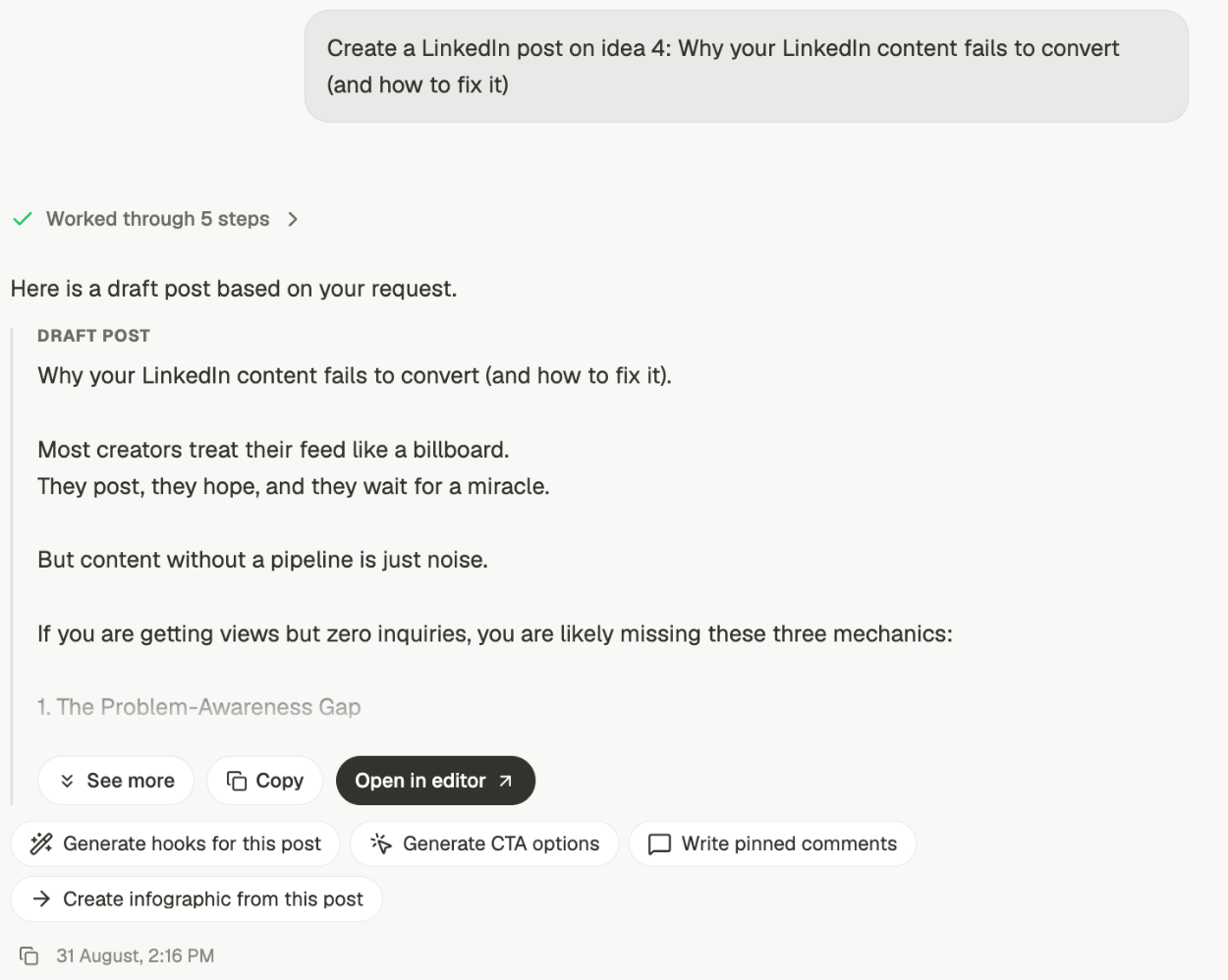
- See more — expand the draft in place
- Copy — the text on your clipboard
- Open in editor — move it into the editor to format, add media, and schedule
Generate hooks for this post
Alternative openings, so you can test a stronger first line.
Generate CTA options
Different endings, matched to what you want the reader to do.
Write pinned comments
A comment to pin under the post once it’s live.
Create infographic from this post
Turn the same material into a visual.
Getting a better draft first time
Say who it's for
Say who it's for
“About hiring” and “about hiring, for technical founders making their first marketing
hire” produce very different posts.
Say how it should end
Say how it should end
A post that ends on a question reads differently from one that ends on an offer. If you
don’t say, you’ll get whatever fits.
Give it the real detail
Give it the real detail
A specific number, a thing that actually happened, a mistake you made. Specifics are
what stop a draft sounding like everyone else’s.
Refine rather than restart
Refine rather than restart
If the draft is close, say what’s wrong with it in the same thread. Starting again
throws away the context that got you most of the way.
Related
Get ideas and angles
Start here when you don’t have a topic yet.
Give chat the right context
Control what the draft is built from.
Analyze your content
Find out what’s worked before you write the next one.
Posts and editor
Where a draft goes to be finished and scheduled.