

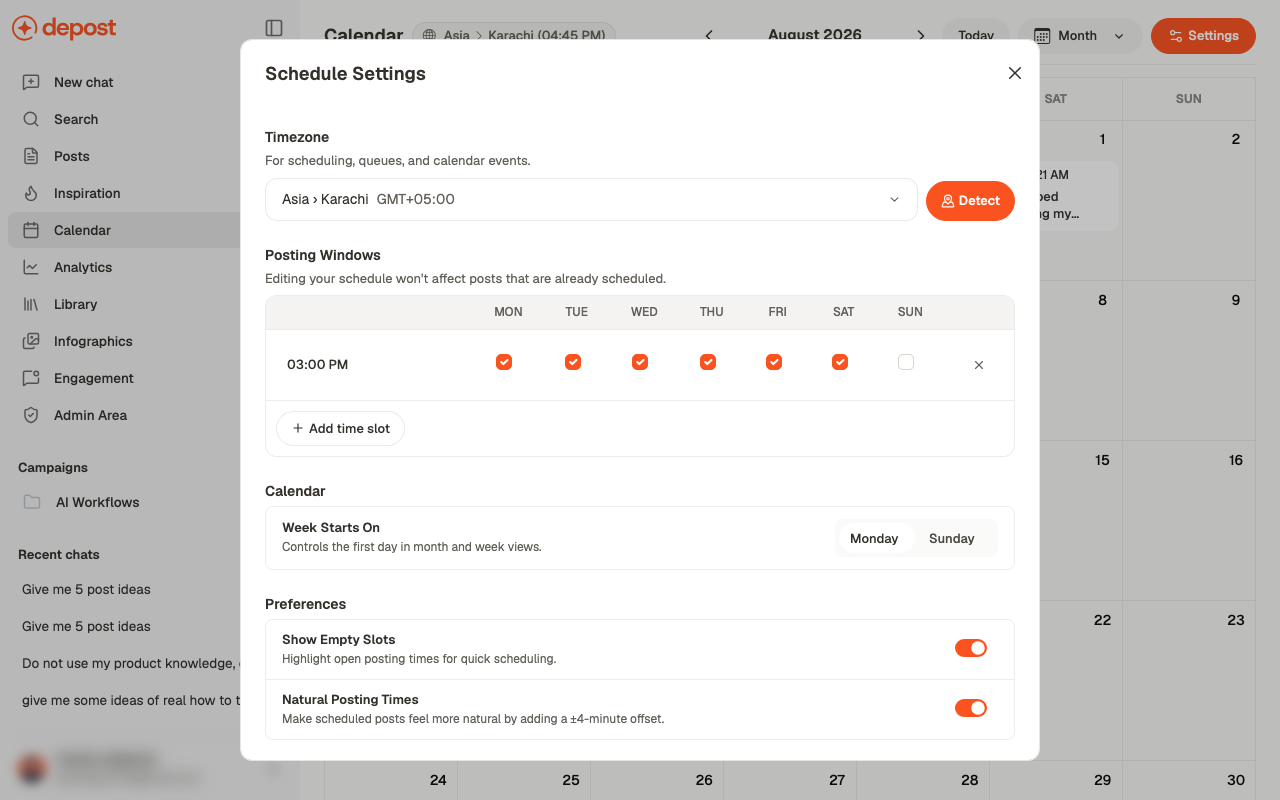
Timezone
Used for scheduling, queues, and calendar events. Detect sets it from your device. Get this right before scheduling anything. Every time you set afterwards is interpreted against it, and correcting it later doesn’t move posts already scheduled.Posting windows
A grid of times against days. Add a time with Add time slot, then tick the days it applies to. That combination is your queue: the recurring slots a post can be dropped into without picking a time by hand.Editing your schedule doesn’t affect posts that are already scheduled. Changing a window
changes where future posts land, not where existing ones sit.
Week Starts On
Monday or Sunday, for month and week views. Cosmetic, but worth matching however your team already thinks about a week.Preferences
Natural Posting Times is worth leaving on. Posts landing at exactly 09:00 every day
look machine-timed. A few minutes of drift costs nothing and reads as a person publishing.
Related
Calendar
Where these settings take effect.
Schedule or publish
Using a queue slot instead of a fixed time.