

Prices aren’t listed here on purpose — plans change, and a price in a docs page is the
fastest thing on the site to go out of date. The current numbers are always on the pricing
page in the product.
What’s on the screen
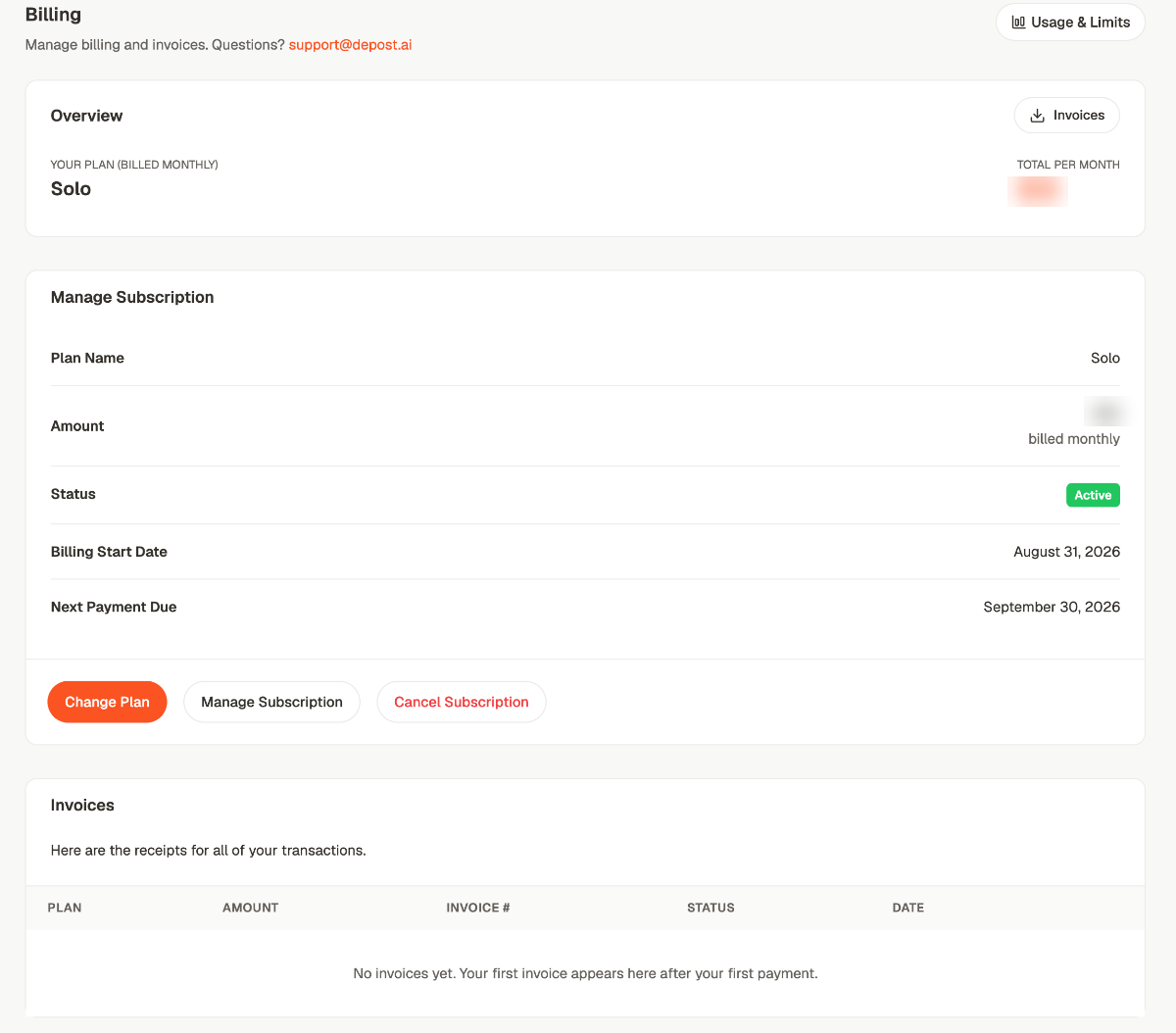
Overview shows your plan and what it costs per month, with Invoices beside it. Manage Subscription is the detail:
Invoices lists every transaction with its plan, amount, invoice number, status and date.
It’s empty until your first payment, which means during a trial it stays empty — that’s
expected, not a fault.
The three buttons
Change Plan
Move up or down a plan.
Manage Subscription
Opens the payment provider’s own portal, where the card and billing details live.
Cancel Subscription
Ends the subscription. You keep access until the end of the period you’ve paid for.
Usage and limits
Usage & Limits, top right, is the more useful half of this screen. It’s what you’ve actually used against what your plan allows.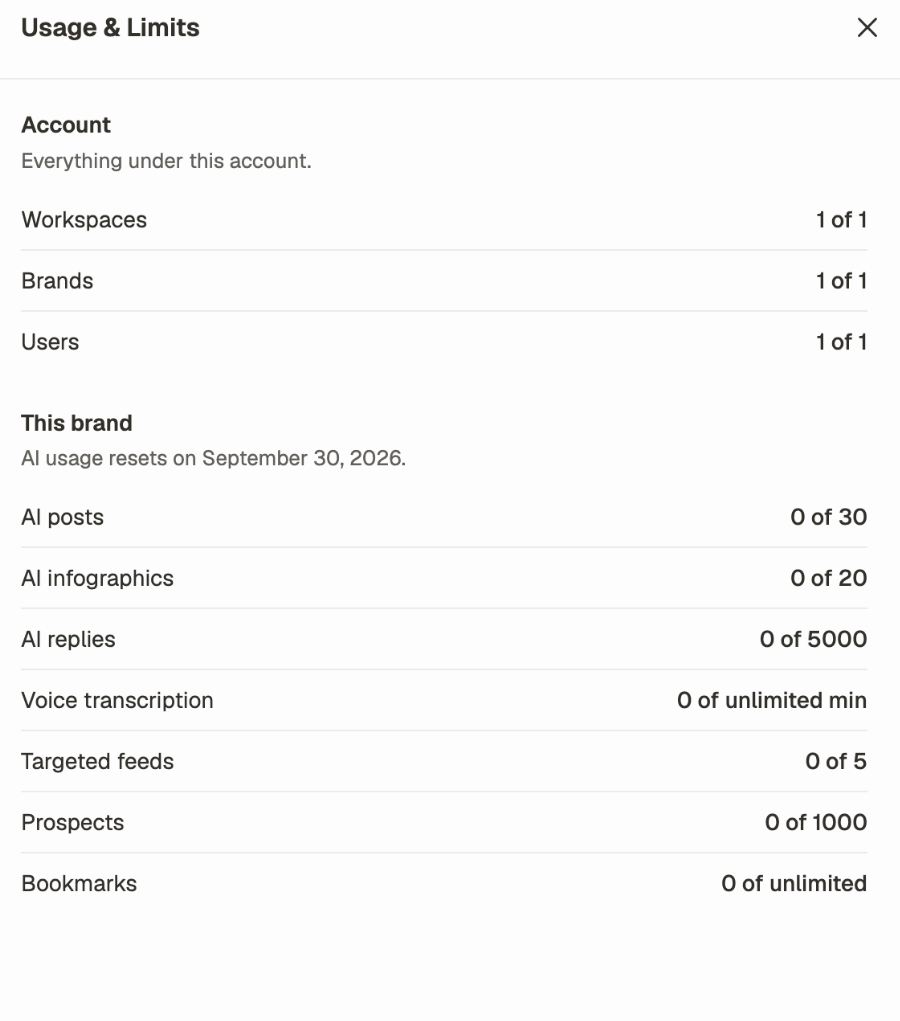
- Account — workspaces, brands and users. These are ceilings on how big the account can get, and they don’t reset.
- This brand — AI posts, infographics, replies, voice transcription, targeted feeds, prospects and bookmarks. These are per brand, and the AI allowances reset monthly on the date shown at the top of that section.
Related
Set up your account
The trial terms, and what happens when it ends.
Settings overview
Which of account, workspace or brand holds what.
Workspaces and brands
What the brand and user counts are limiting.
Your account
Profile, security, notifications and referrals.