

Workspace
The team. Holds people, billing, labels, and shared library material.
Brand
An identity you publish as. Holds its own voice, LinkedIn account, content and analytics.
Which layer holds what
The question to ask is who or what does this belong to?
Two that surprise people: labels are workspace-wide, so one you create shows on every
brand. Social accounts are per brand, because an account publishes as one identity.
Switching
The switcher at the top of the sidebar changes which brand you’re working in. Content is scoped to whatever is selected — so a post created in the wrong brand is created in the wrong brand.Adding a brand
From the brand switcher, choose Add personal brand.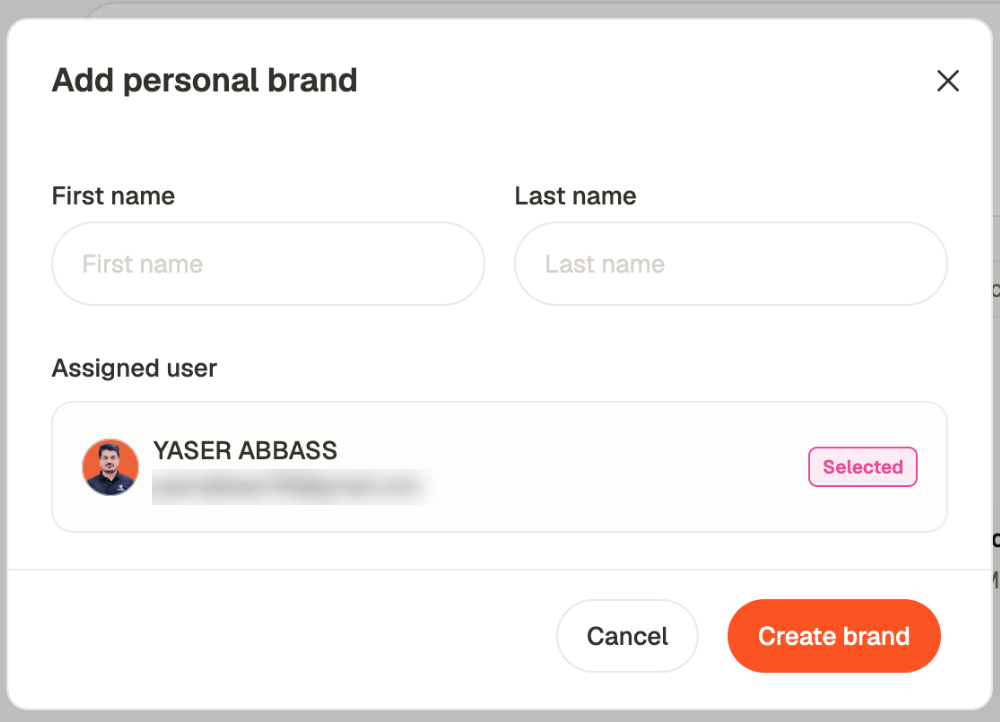
When you need more than one workspace
Usually you don’t. Several brands in one workspace is easier to run and to report across. Use a second workspace only when billing or team membership genuinely need separating — a client paying their own subscription, or a team that must not see each other’s work at all. Everything else is better solved with brand access, which lets someone hold one brand and see none of the others.Related
Invite your team
Roles, and granting access per brand.
Running client work
One brand per client, in practice.
Brand settings
A brand’s own configuration.
Workspace settings
Name, timezone, invite link, domains.