

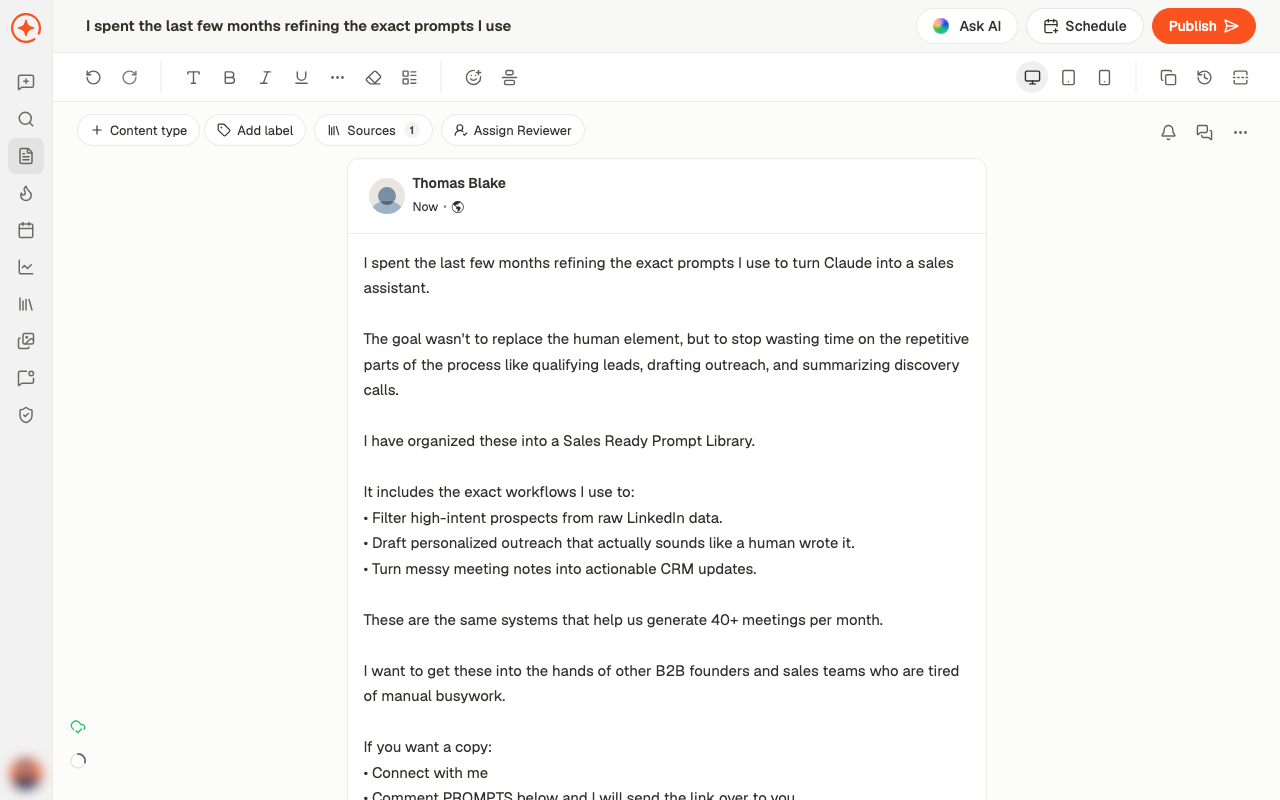
Writing
The main area is a live preview — what you see is close to how the post will appear on LinkedIn, including where the “see more” fold falls. Formatting sits in the toolbar:- Bold (⌘B), Italic (⌘I), Underline (⌘U)
- Lists and text styles
- Clear Formatting to strip it back
- Emoji
The controls above the post
Getting AI help
Ask AI opens a chat attached to this post. That’s different from a fresh chat: it already has the draft, so you can ask for changes directly and one-click actions appear above the message box.Adding media
Add media to post covers images, Video, PDF carousel, and Poll. See add media for what each format needs.Working with others
- Post comment leaves a note on the draft for your team — these stay internal
- Assign Reviewer puts it in front of someone for approval
- Unsubscribe from updates stops notifications about this particular post
Other things worth knowing
- Revisions shows earlier versions, each with a Restore — so a rewrite you regret isn’t final
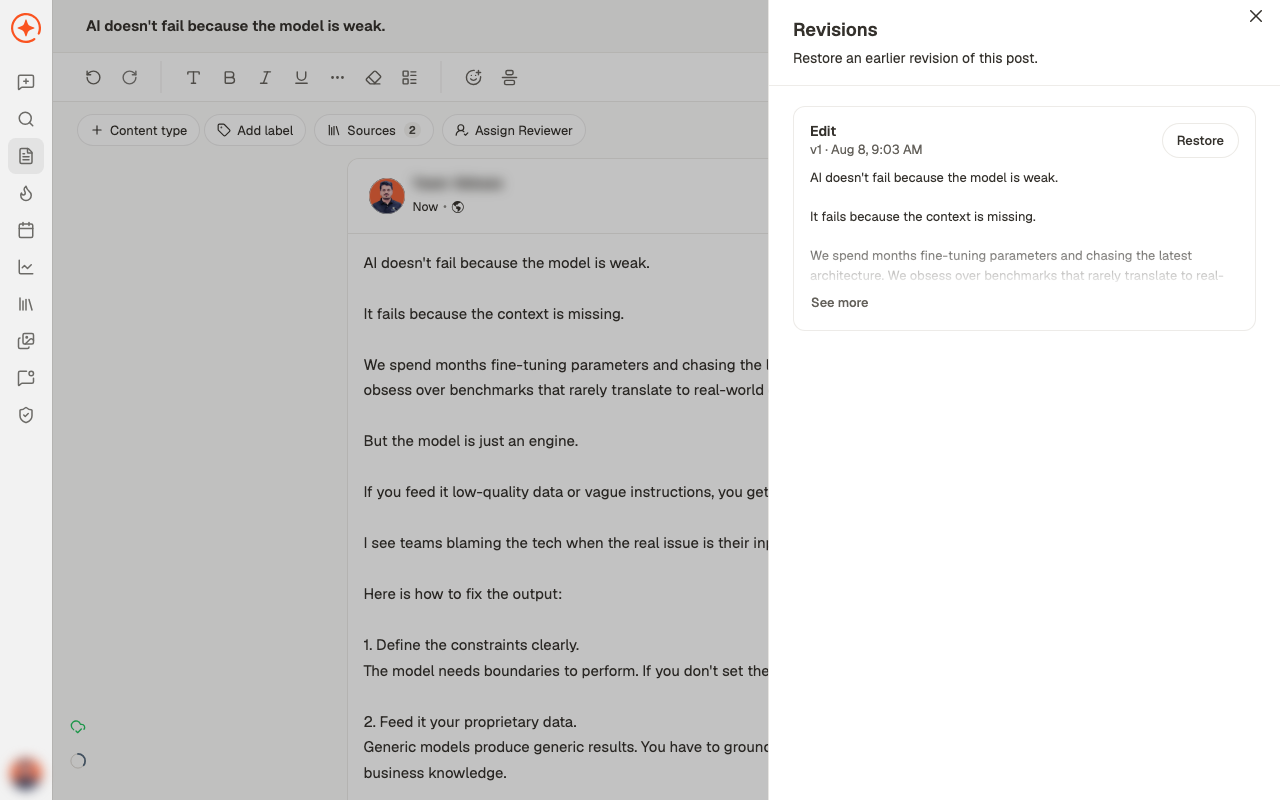
- Copy Post puts the text on your clipboard
- The device toggles preview how it looks on desktop, tablet, and mobile
When it’s ready
Schedule puts it on the calendar. Publish sends it now. See schedule or publish. Next: add images, a carousel or a poll. See adding media.Related
Posts overview
Finding and filtering your posts.
Add media
Images, video, carousels, and polls.
Review and approval
Reviewers, comments, and decisions.
Improve a draft in chat
Ask AI, and what it can do with a draft.