

Sending a post for review
Open the post and use Assign Reviewer. That moves it to Review status, so it shows in that column on the board and appears in the reviewer’s queue.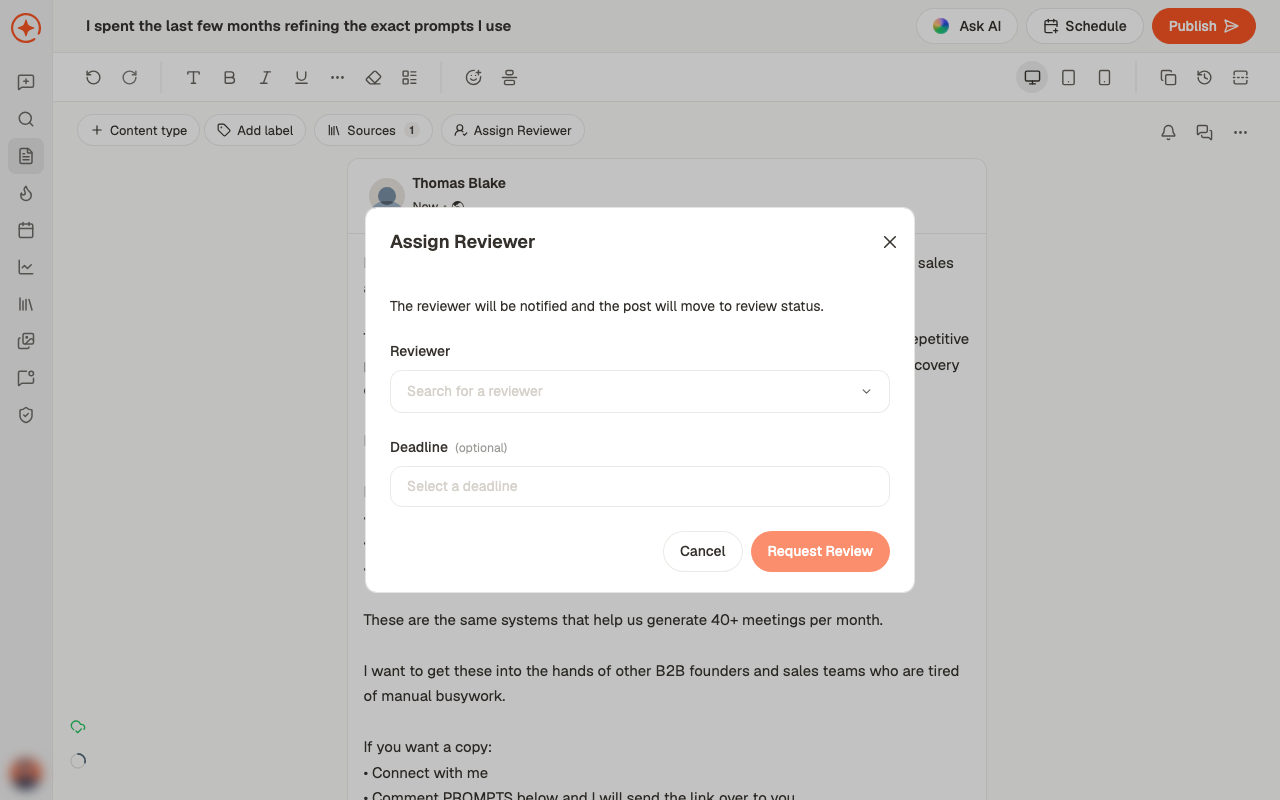
Comments
Post comment leaves a note on the draft.Comments are internal. They stay in Depost AI and never appear on LinkedIn, so they’re safe
for blunt feedback and open questions.
Notifications
Being assigned a review notifies the reviewer. If a post is generating more noise than you want, Unsubscribe from updates stops notifications for that post without affecting anyone else’s.Making review work
1
Agree what review is for
Catching errors is a different job from improving writing. Reviewers who don’t know
which they’re doing rewrite everything.
2
Assign one reviewer
Two reviewers means two opinions and no decision.
3
Comment on specifics
Point at the line, not the post.
4
Approve, then schedule
Approved posts still need a slot — approval isn’t publication.
Related
Post statuses
How Review, Approved and Rejected fit the rest.
Edit a post
Where reviewers and comments live.
Schedule or publish
What happens after approval.
Roles and access
Who can review what.