

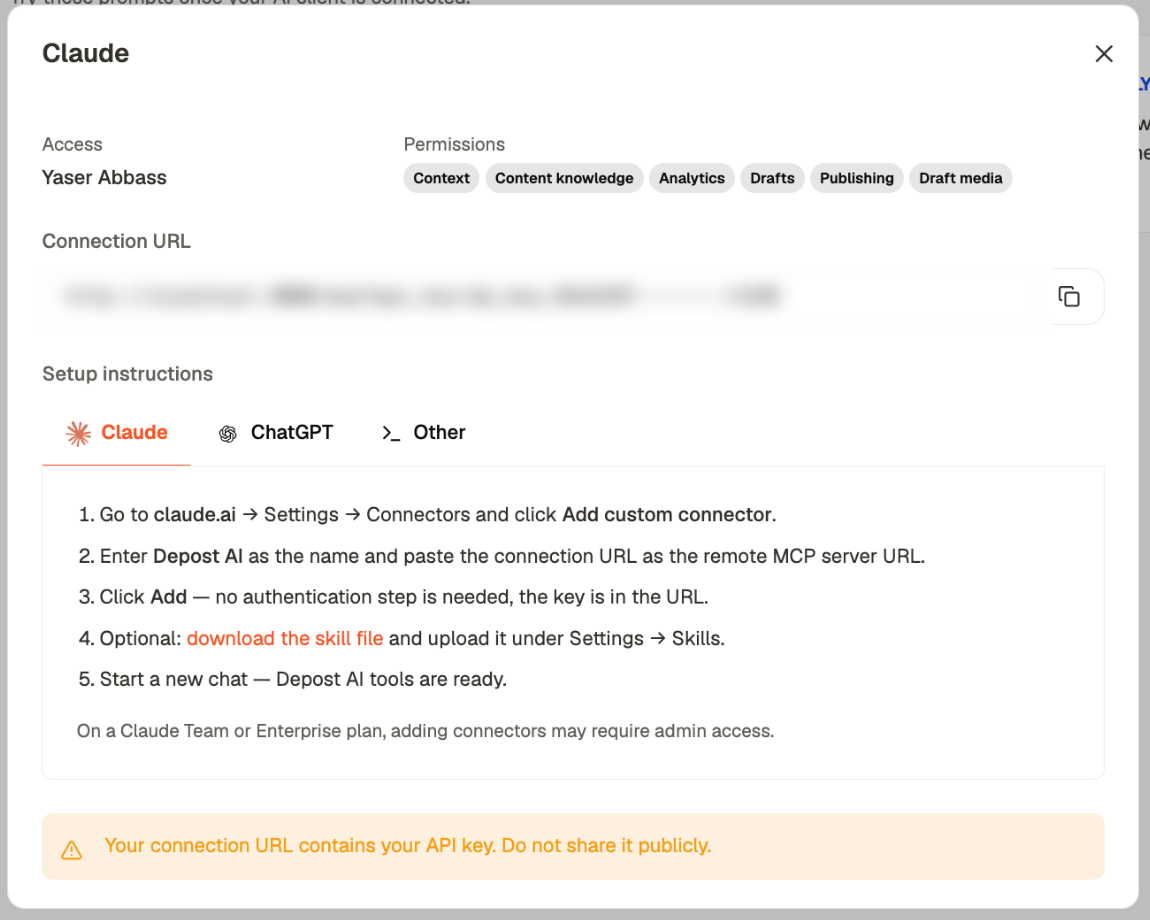
- Claude
- ChatGPT
- Other clients
1
Open connector settings
Go to claude.ai → Settings → Connectors and click Add custom connector.
2
Add the connection
Enter Depost AI as the name, and paste the connection URL as the remote MCP
server URL.
3
Click Add
There’s no authentication step — the key is in the URL.
4
Optional: add the skill file
Download the skill file from Settings → MCP in Depost AI and upload it under
Settings → Skills. It teaches Claude how to use the tools well.
5
Start a new chat
Depost AI tools are ready.
On a Claude Team or Enterprise plan, adding connectors may need admin access.
The skill file is worth adding
It’s optional and it makes a real difference. Without it, a client has the tools but no guidance and tends to guess — asking for brand names it could look up, or drafting without first reading your voice. With it, the client knows to check your context first, to write in your voice rather than its own, and to treat publishing as something it confirms with you rather than does.Checking it works
Ask something that needs your data:“What are my top performing posts from the last 30 days?”A connected client returns your real numbers. If it answers generically or says it has no access, the connection isn’t live.
When something fails
Permissions can’t be edited after creation. Changing what a key can reach means creating a
new one and deleting the old.
Related
Create a connection
Keys, permissions, and the connection URL.
What the connector does
What it can reach once connected.
Troubleshooting
Other things that go wrong.