

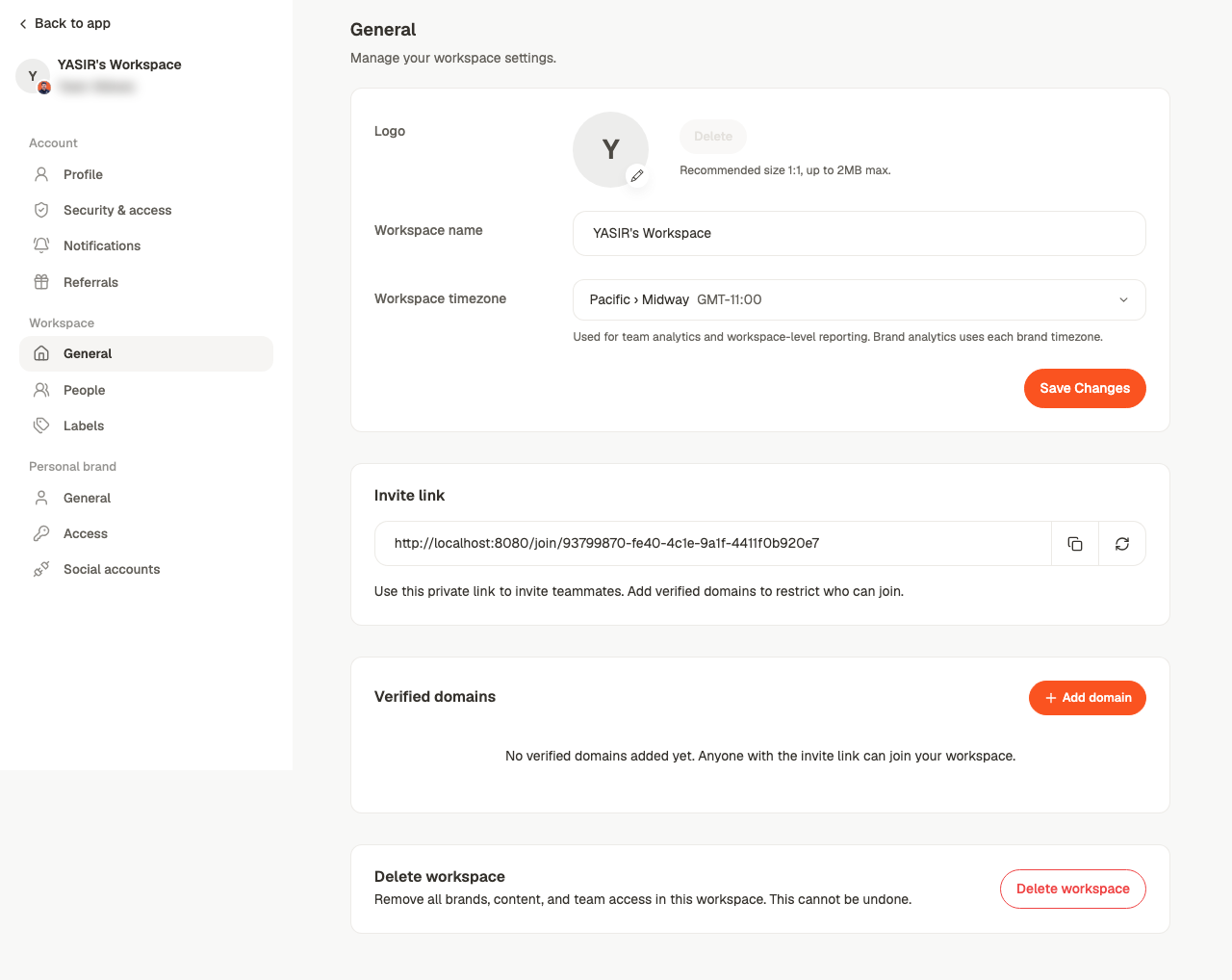
Name and logo
Workspace name is what appears in the switcher and on invitations. The logo sits beside it. Both are cosmetic — but with several workspaces, a clear name is the difference between switching correctly and publishing to the wrong client.Workspace timezone
The default for the workspace. Scheduling uses the timezone set on the calendar, so if the two differ, the calendar wins for publishing.Invite link
A private link that lets someone join. Copy invite link shares it, Regenerate invite link invalidates the old one.Verified domains
Add domain restricts the invite link to people on that email domain. Verification is by code or by an email to an address at that domain. This is what makes it safe to put the invite link in an internal wiki: without a verified domain, anyone who finds the link is in.Deleting a workspace
Delete workspace removes it and everything scoped to it.Related
Invite your team
Adding people, roles and brand access.
Settings
Which of account, workspace or brand holds what.
Brand settings
Settings that belong to one brand.
Schedule settings
The timezone publishing actually uses.