

Always used — you don’t need to ask
Three things are applied to every request automatically:Your brand
Positioning, offer, audience, product context, and proof from your brand profile.
Your voice
Your brand voice and writing style.
Your performance
Which hooks, topics, formats, and CTAs have actually worked for you.
You don’t have to say “use my brand voice” — it’s already on. Asking for it does no harm,
but it isn’t what makes the difference. If output doesn’t sound like you, the fix is in
your brand voice settings, not in the prompt.
The five you control
Open Use context from below the message box — the icon to the right of +. You’ll see five toggles: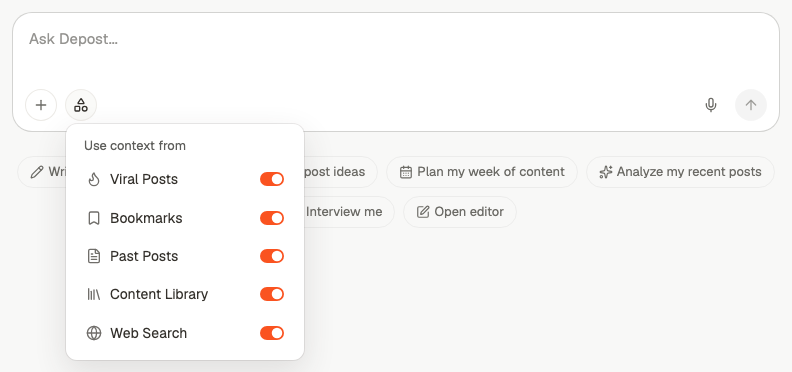
All five start switched on. You’re not opting in — you’re narrowing down. If output
is drifting somewhere you didn’t intend, the fix is usually turning something off.
Thinking or Fast
Next to the source picker is an Effort control — a brain icon for Thinking, a bolt for Fast. It decides whether Depost AI searches those sources at all.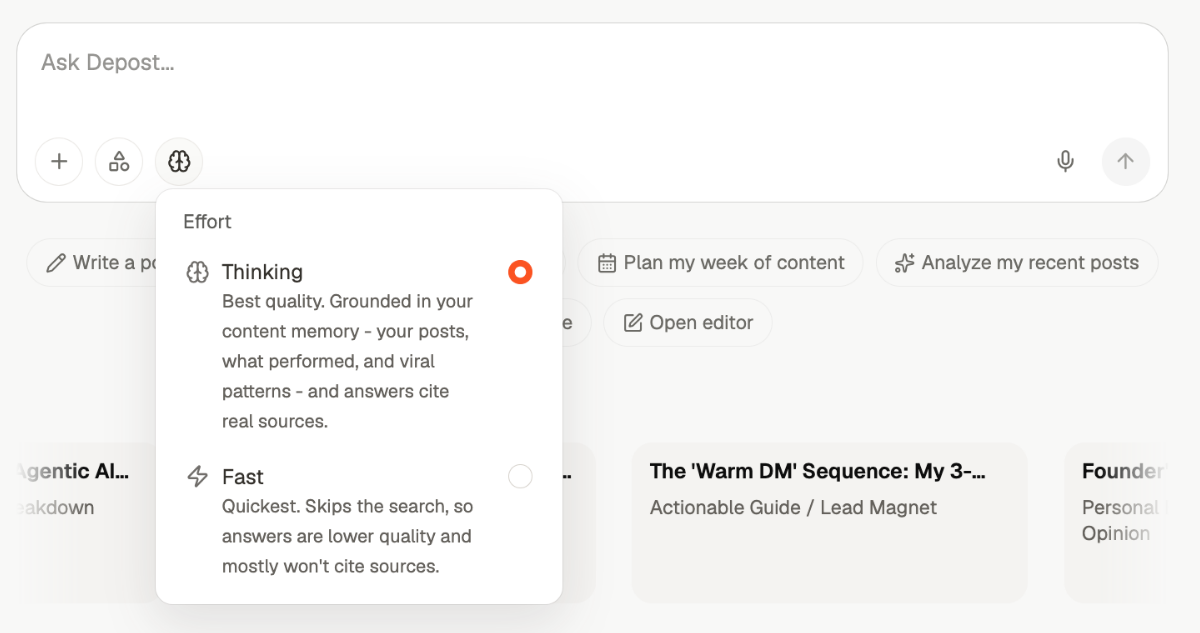
Thinking is the default, and the composer icon tells you which one is on without
opening the menu. The control is on the new-chat screen too, so you can set it before your
first message.
The important part is that Fast doesn’t read less — it reads nothing. Every source
you picked above is ignored for that turn, and the answer comes from general knowledge
instead of your material.
Fast buys seconds, not minutes. It’s worth it for throwaway questions and rephrasing, and
rarely worth it for anything you’re going to publish.
Narrowing down
More context is not automatically better. Each source pulls the output in its direction, so turn off the ones that don’t match what you’re asking for.Analyzing your own content
Analyzing your own content
Keep Past Posts — that’s the material being analyzed. Turn off Viral Posts
unless you want the analysis to compare you against what’s working elsewhere.
Looking for ideas
Looking for ideas
Leave most of it on. Past Posts stops it repeating you, Bookmarks and Viral
Posts add range. Keep Web Search on if you want ideas tied to something happening
now, off if you want evergreen ones.
Writing about your own product or method
Writing about your own product or method
Content Library is the one that matters — it’s what stops the draft being generic.
Turning off Viral Posts here often helps, since it stops the draft drifting toward
a format that isn’t yours.
Improving an existing draft
Improving an existing draft
Turn most of them off. The draft is the input, and your voice and performance are
applied regardless. Extra sources tend to pull the rewrite away from what you wrote.
Anything involving current facts
Anything involving current facts
Keep Web Search on. Without it, Depost AI works from your material and its own
knowledge, so recent numbers, prices, and events won’t be reliable.
Checking what it actually used
When Depost AI has grounded an answer, a Sources chip appears with it, carrying a count. Open it and you get the real material it read, grouped by where each piece came from: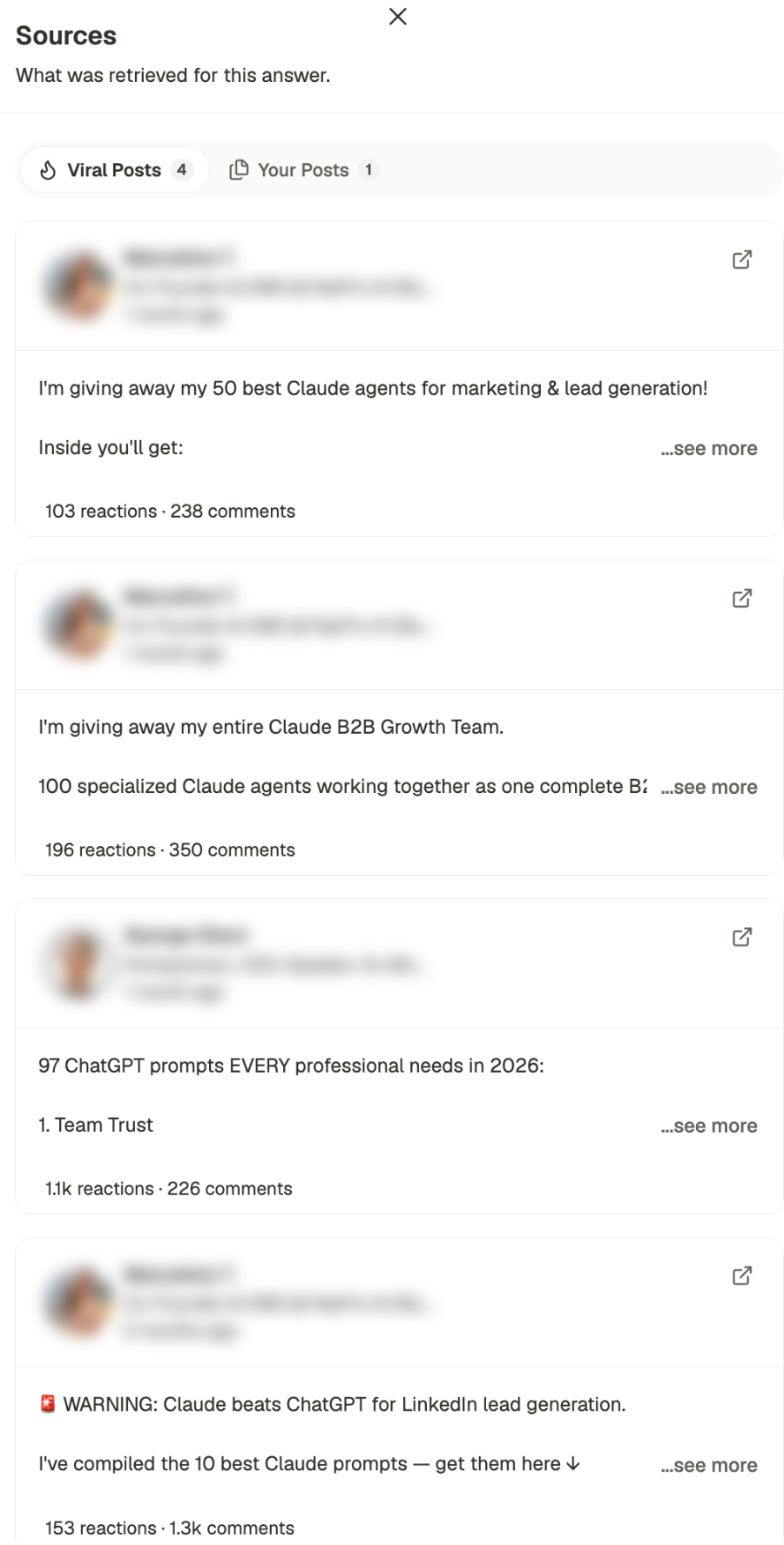
Author names and photos are blurred in this screenshot. They’re real LinkedIn creators,
and the panel is being shown here to explain the layout rather than to point at anyone.
Where context comes from
Each source is only as good as what’s behind it. If a source is switched on but empty, it contributes nothing:- Past Posts fills up as you publish through Depost AI and as your LinkedIn history syncs
- Bookmarks is what you’ve saved — see Inspiration
- Viral Posts is maintained for you; nothing to set up
- Content Library is what you’ve uploaded — see Library
- Web Search needs nothing
Related
How chat works
Starting a chat and what you can ask for.
Attachments and voice input
Bring a specific file into one request.
Library
Upload the documents that Content Library draws on.
Inspiration
Build the bookmarks and creator list behind your saved examples.