

This is the single highest-leverage screen in the product. A wrong audience or a wrong
offer isn’t an error you’ll see; it’s every draft being quietly aimed at the wrong person.
Ten minutes here is worth more than any prompt you’ll write this month.
Where it came from
You didn’t fill this in. It was read for you, from three things:
That last one matters more than it looks. Your posts say what you have done; the context box
says what you’re doing now, and where the two disagree, Depost AI follows you. See
set up your account.
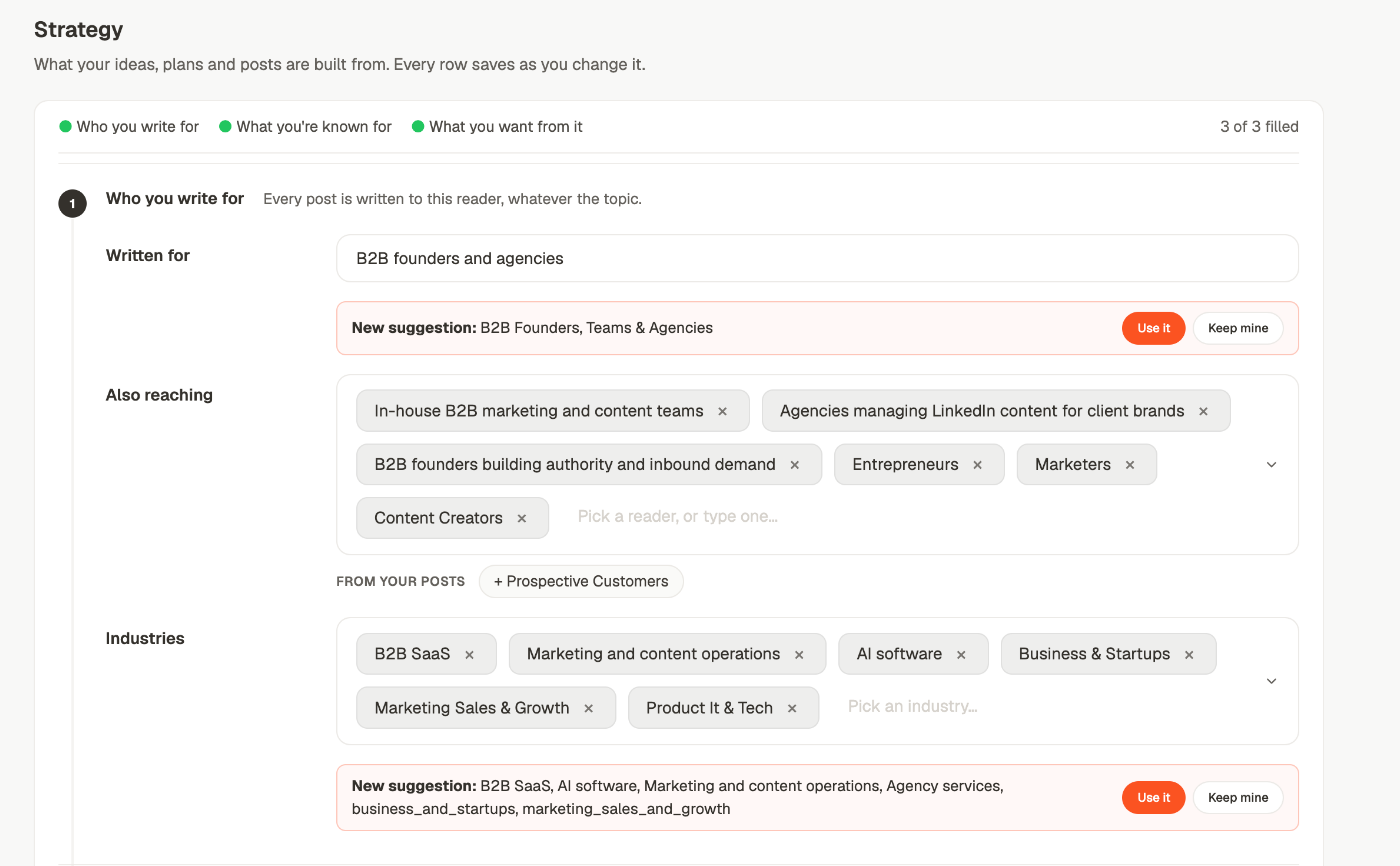
1. Who you write for
2. What you’re known for
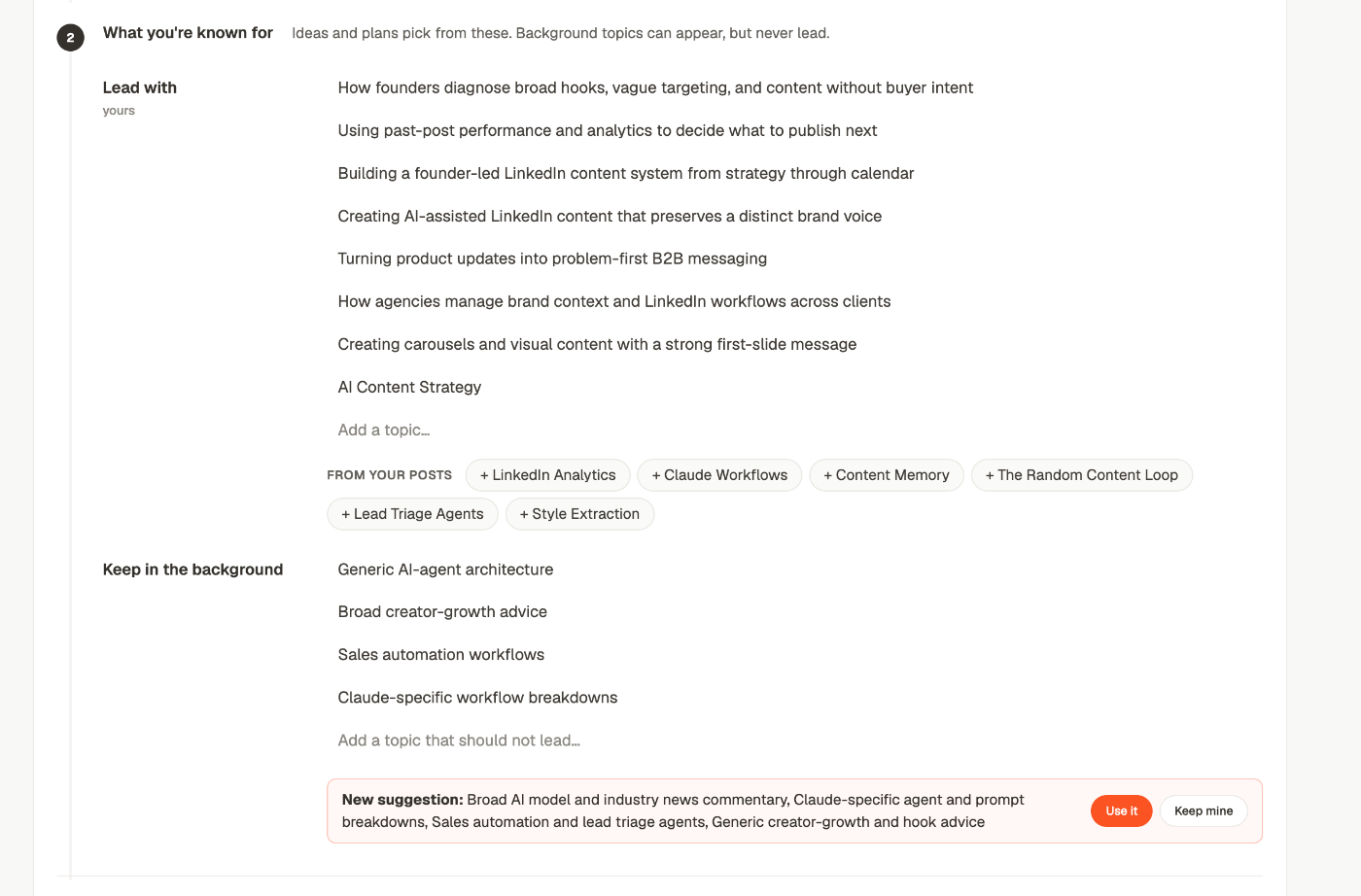
- Lead with — what an idea is allowed to be about.
- Keep in the background — what can show up as supporting material but never be the point of a post.
3. What you want from it
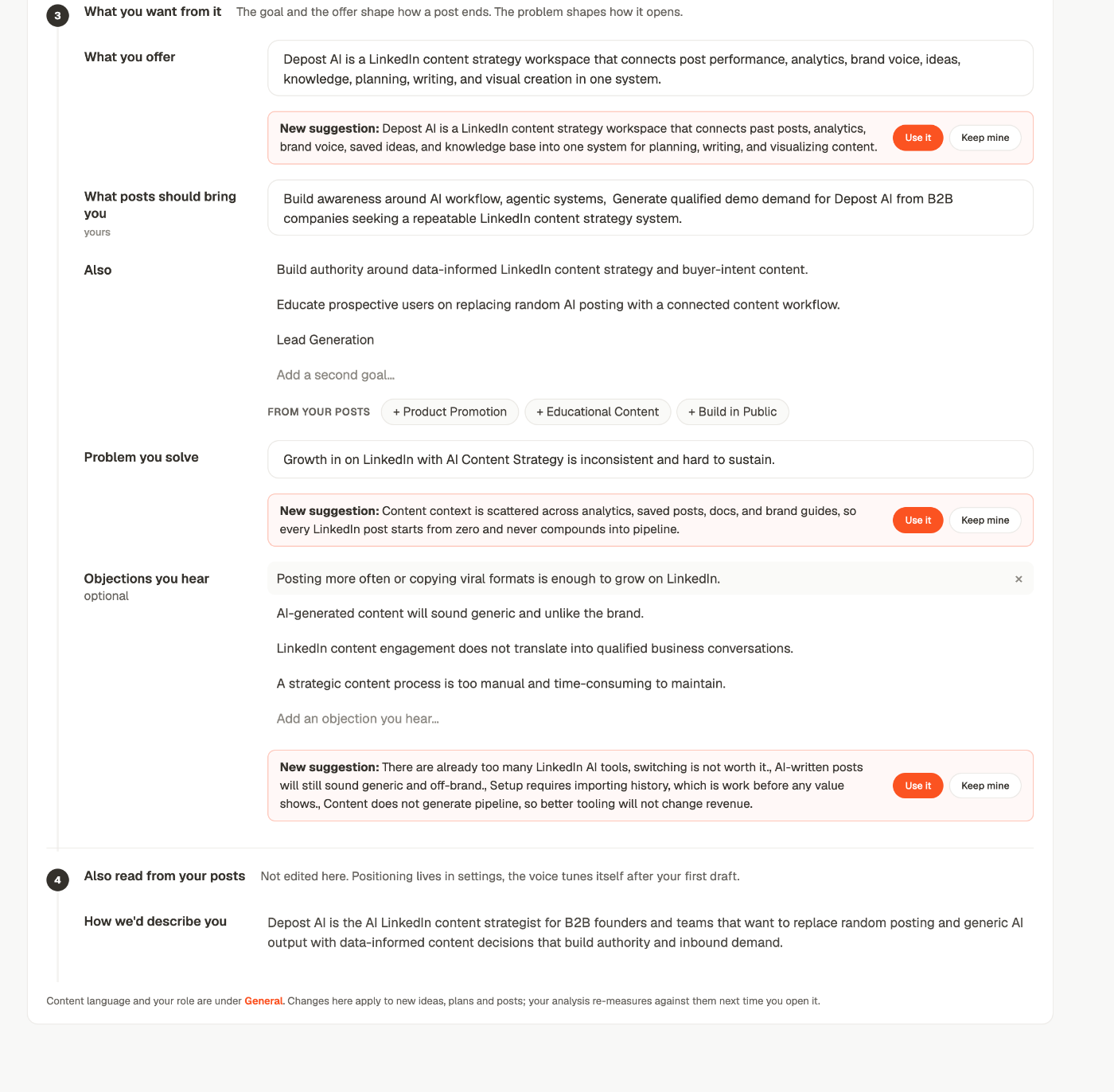
Objections are worth filling in by hand. They’re the hardest thing to read off your posts —
you rarely write down what people say to you in DMs — and they’re what turns a post from a
statement into an argument.
4. How we’d describe you
The last block isn’t editable here. It’s how Depost AI would introduce you in a sentence, read from your posts and profile — a check on whether the rest of the screen is pointed at the right person. The line underneath says where the two settings that aren’t on this screen live: content language and your role are under General.Three ways a row changes
You type it
Click into a row and change it. It saves as you go, and the row picks up a small yours tag — that’s Depost AI marking that the value is yours rather than something it read.A chip from your posts
Under the list rows sits FROM YOUR POSTS and a row of+ chips. Those are things the
analysis actually found in your published posts that aren’t on the row yet. One click adds
one.
Use them as a reality check as much as a shortcut: a topic you publish constantly that
isn’t in Lead with is either a gap in the strategy or a habit worth dropping.
A suggestion from a later read
This is the part worth understanding properly. Depost AI re-reads your posts periodically. A re-read never changes a row. It leaves a suggestion under the row instead:New suggestion: B2B Founders, Teams & AgenciesFour rules govern those, and together they’re the whole behaviour:Use itKeep mine
1
It only ever proposes
Your stored value stays exactly as it is until you answer. A Monday can’t rewrite what
you set up on Friday.
2
It only asks about rows you haven't settled
A row you’ve already answered or edited is left alone — permanently. It won’t come back
next month with a different idea.
3
Both answers settle the row
Use it writes the suggestion in. Keep mine writes back what’s already there.
Either one counts as an answer, so you stop being asked about that row.
4
A new read replaces the last read's suggestions
They don’t pile up. What you see is what the most recent read thinks.
What changes when you change it
Changes apply to new ideas, plans and posts. A draft already written doesn’t rewrite itself, and neither does anything scheduled. Your analysis re-measures against the new strategy the next time you open it — which is usually the point. Fixing your topic list and then looking at analytics tells you something different from looking at it before.Changing it from chat instead
Chat reads and writes the same strategy, so use whichever is closer to hand:
Full detail, including why a review waits: your content strategy.
When to come back to it
When output is persistently off
When output is persistently off
Not one bad draft — a pattern. If three posts in a row are aimed at the wrong reader,
that’s this screen, not your prompts. Fighting it prompt by prompt means re-fixing the
same fault every time.
When what you sell changes
When what you sell changes
A new offer changes how every post should end. This is the first thing to update, and
the one most people forget until the drafts start reading oddly.
When a suggestion appears
When a suggestion appears
It means a later read of your posts disagrees with a row. Worth thirty seconds — it’s
usually the product noticing a drift before you have.
Related
Writing style
The other half: not what you write about, but how it sounds.
Your content strategy in chat
Reading and changing it in conversation.
Get ideas
The first thing the strategy decides.
Set up your account
Where the first version of this came from.