> ## Documentation Index
> Fetch the complete documentation index at: https://docs.depost.ai/llms.txt
> Use this file to discover all available pages before exploring further.
# Infographics gallery
> Everything you've generated, in one place.
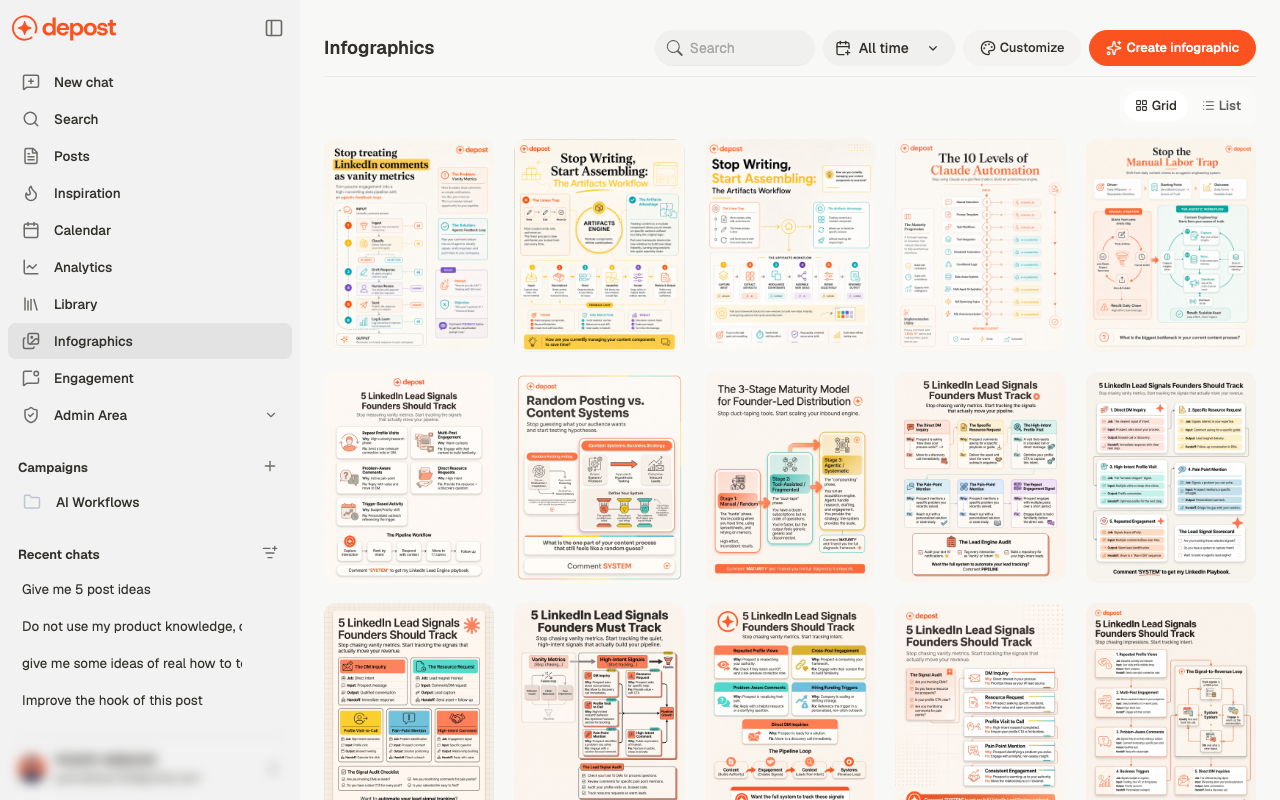
**Infographics** in the sidebar holds every visual you've made.
 ## Finding one
* **Search** by title
* **All time** to restrict by when it was made
* **Grid** or **List** — grid for recognising a visual, list for scanning titles
## The two buttons
**Create infographic** takes you to a new chat, which is where visuals are actually made.
See [create an infographic](/visuals/create-infographic).
**Customize** opens your visual style settings — the palette, typography, layout and footer
applied to everything generated. See [your visual style](/visuals/style).
## Working with a visual
Each item can be downloaded or deleted from its own menu. Download when you want to post it
somewhere other than through Depost AI; otherwise attach it to a post from the editor.
## Related
The three ways to make one.
What Customize controls.
## Finding one
* **Search** by title
* **All time** to restrict by when it was made
* **Grid** or **List** — grid for recognising a visual, list for scanning titles
## The two buttons
**Create infographic** takes you to a new chat, which is where visuals are actually made.
See [create an infographic](/visuals/create-infographic).
**Customize** opens your visual style settings — the palette, typography, layout and footer
applied to everything generated. See [your visual style](/visuals/style).
## Working with a visual
Each item can be downloaded or deleted from its own menu. Download when you want to post it
somewhere other than through Depost AI; otherwise attach it to a post from the editor.
## Related
The three ways to make one.
What Customize controls.