> ## Documentation Index
> Fetch the complete documentation index at: https://docs.depost.ai/llms.txt
> Use this file to discover all available pages before exploring further.
# Labels
> Tags for organizing posts, shared across the workspace.
Under **Settings → Workspace → Labels**. Use **Add label** to create one with a name,
description and color.
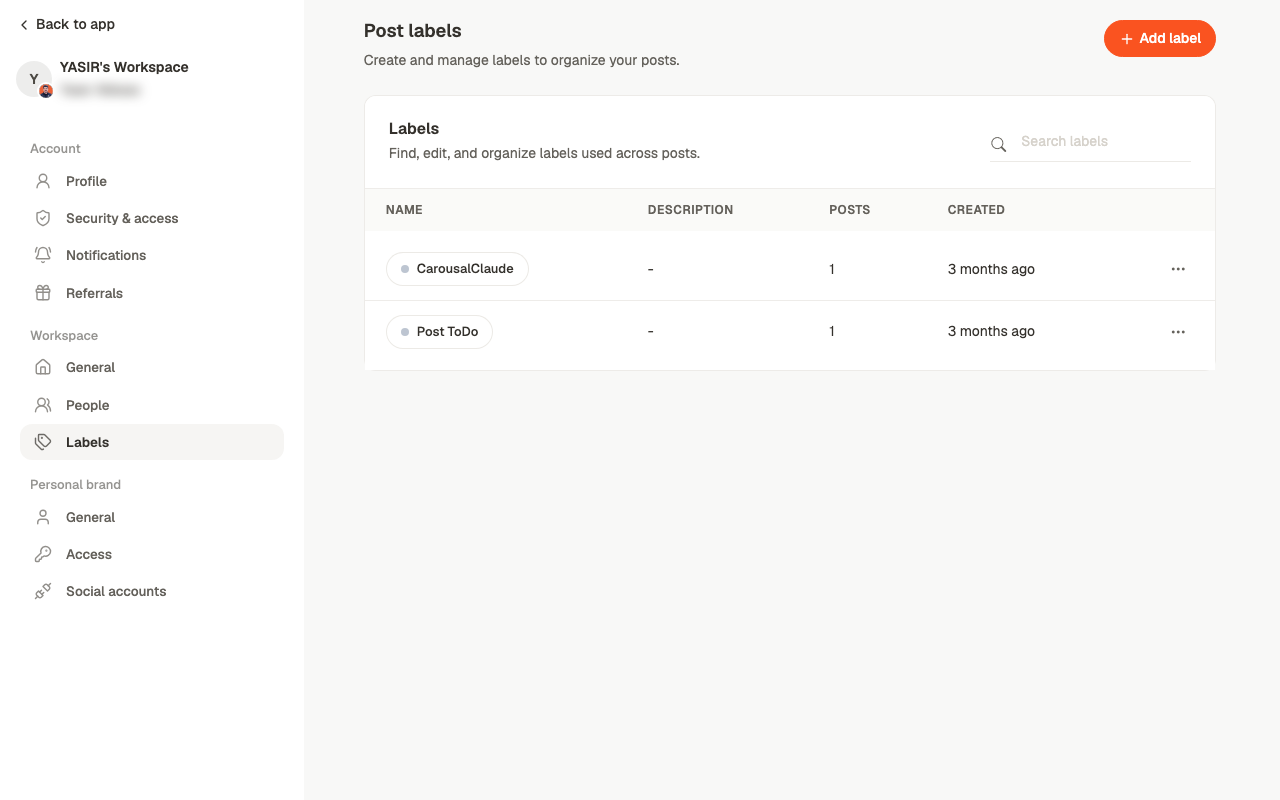 Labels are **workspace-level**. A label you create is available to everyone and on every
brand — which is what makes them useful for a shared workflow, and worth naming carefully.
## Where labels show up
* On post cards in [Posts](/posts/overview), where **Add label** applies one without opening
the post
* In the editor, alongside content type and reviewer
* As a filter on the Posts screen and the board
## What to use them for
The useful pattern is labelling something **the status can't already tell you**. Status
covers where a post is in the pipeline; labels are for everything else:
* The client or business unit, when a brand covers several
* The content pillar or theme
* Who owns it on the client side
* A campaign the post belongs to
Keep the set small. Ten labels everyone understands beats forty nobody applies
consistently — and a filter is only worth having if the labels behind it are reliable.
## Related
Filtering by label.
Which of account, workspace or brand holds what.
This documentation is built and hosted on [Mintlify](https://mintlify.com), a developer documentation platform.
Labels are **workspace-level**. A label you create is available to everyone and on every
brand — which is what makes them useful for a shared workflow, and worth naming carefully.
## Where labels show up
* On post cards in [Posts](/posts/overview), where **Add label** applies one without opening
the post
* In the editor, alongside content type and reviewer
* As a filter on the Posts screen and the board
## What to use them for
The useful pattern is labelling something **the status can't already tell you**. Status
covers where a post is in the pipeline; labels are for everything else:
* The client or business unit, when a brand covers several
* The content pillar or theme
* Who owns it on the client side
* A campaign the post belongs to
Keep the set small. Ten labels everyone understands beats forty nobody applies
consistently — and a filter is only worth having if the labels behind it are reliable.
## Related
Filtering by label.
Which of account, workspace or brand holds what.
This documentation is built and hosted on [Mintlify](https://mintlify.com), a developer documentation platform.