> ## Documentation Index
> Fetch the complete documentation index at: https://docs.depost.ai/llms.txt
> Use this file to discover all available pages before exploring further.
# Posts
> Every post you've drafted, scheduled, or published, in a board or a list.
**Posts** is the pipeline view. Everything you've created lives here, grouped by where it
has got to.
 ## Board or list
Use the toggle in the top right.
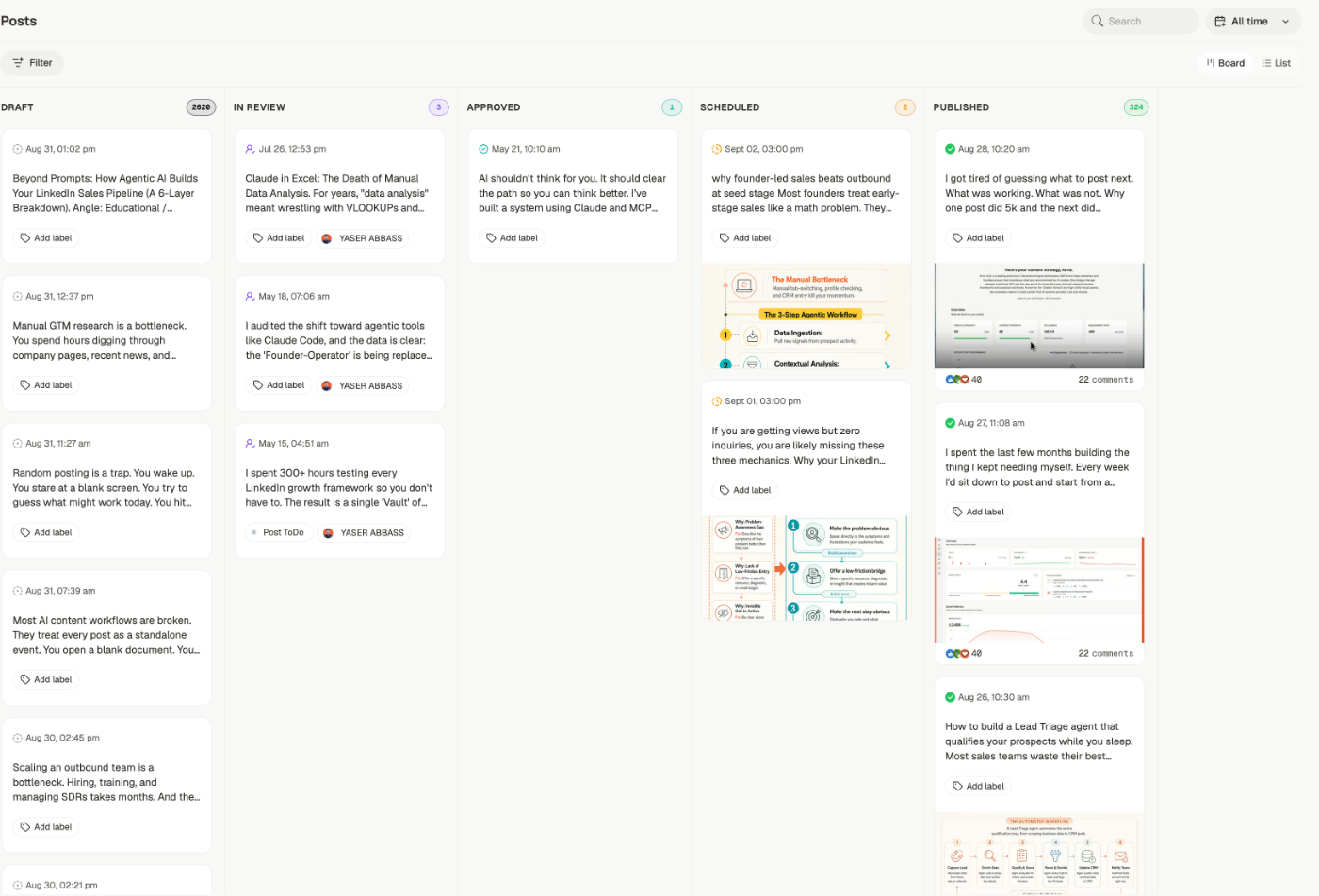
A column per status, with a count on each. Best for seeing what's stuck and moving
things along.
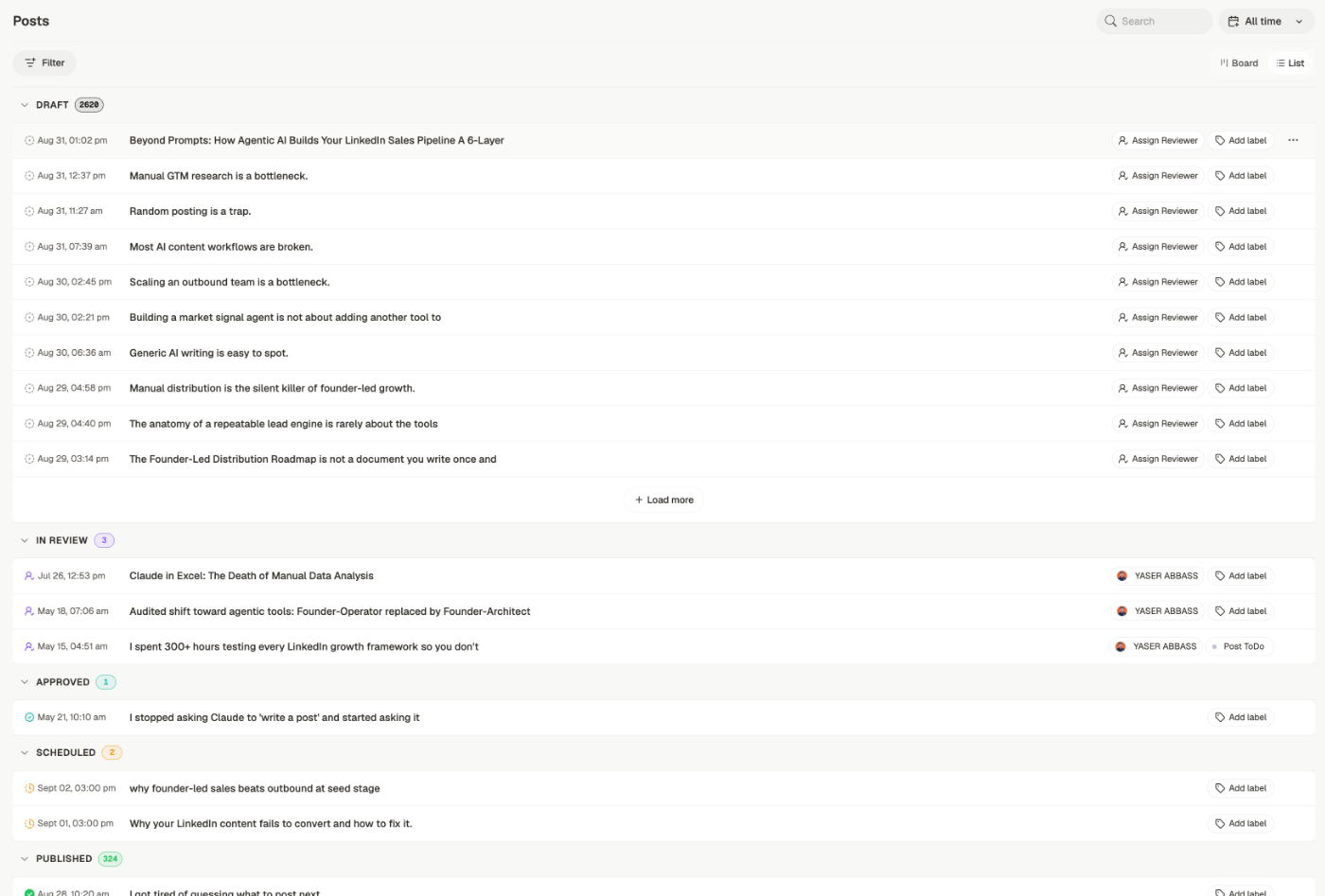
The same statuses as collapsible sections, one post per row. Better once a status holds
hundreds, or when you're scanning titles rather than dragging cards.
## Board or list
Use the toggle in the top right.
A column per status, with a count on each. Best for seeing what's stuck and moving
things along.
The same statuses as collapsible sections, one post per row. Better once a status holds
hundreds, or when you're scanning titles rather than dragging cards.
 ## Finding a post
* **Search** by content
* **Filter** by status, label, content type, format, pillar, reviewer, and brand — pillars
are the recurring themes set by a [content plan](/chat/plan)
* **All time** to restrict by date
* **Load more** at the bottom of a long column
## What's on a card
Each card shows the date, the opening of the post, and any label. Where a reviewer is
assigned, they appear on the card too — so you can see at a glance what's waiting on
someone.
**Add label** is right on the card, so you can tag without opening the post.
## Moving work along
On the board, drag a card between columns to change its status. That's the quickest way to
move a batch of drafts into review.
If your Draft column runs into the thousands, filtering by label or date will serve you
better than scrolling. Drafts accumulate faster than anyone expects — especially generated
ones.
## Related
What each column means and how a post moves between them.
Writing, formatting, and preparing to publish.
Reviewers, comments, and decisions.
The same posts, arranged by when they go out.
## Finding a post
* **Search** by content
* **Filter** by status, label, content type, format, pillar, reviewer, and brand — pillars
are the recurring themes set by a [content plan](/chat/plan)
* **All time** to restrict by date
* **Load more** at the bottom of a long column
## What's on a card
Each card shows the date, the opening of the post, and any label. Where a reviewer is
assigned, they appear on the card too — so you can see at a glance what's waiting on
someone.
**Add label** is right on the card, so you can tag without opening the post.
## Moving work along
On the board, drag a card between columns to change its status. That's the quickest way to
move a batch of drafts into review.
If your Draft column runs into the thousands, filtering by label or date will serve you
better than scrolling. Drafts accumulate faster than anyone expects — especially generated
ones.
## Related
What each column means and how a post moves between them.
Writing, formatting, and preparing to publish.
Reviewers, comments, and decisions.
The same posts, arranged by when they go out.