> ## Documentation Index
> Fetch the complete documentation index at: https://docs.depost.ai/llms.txt
> Use this file to discover all available pages before exploring further.
# Add media
> Images, video, PDF carousels, and polls.
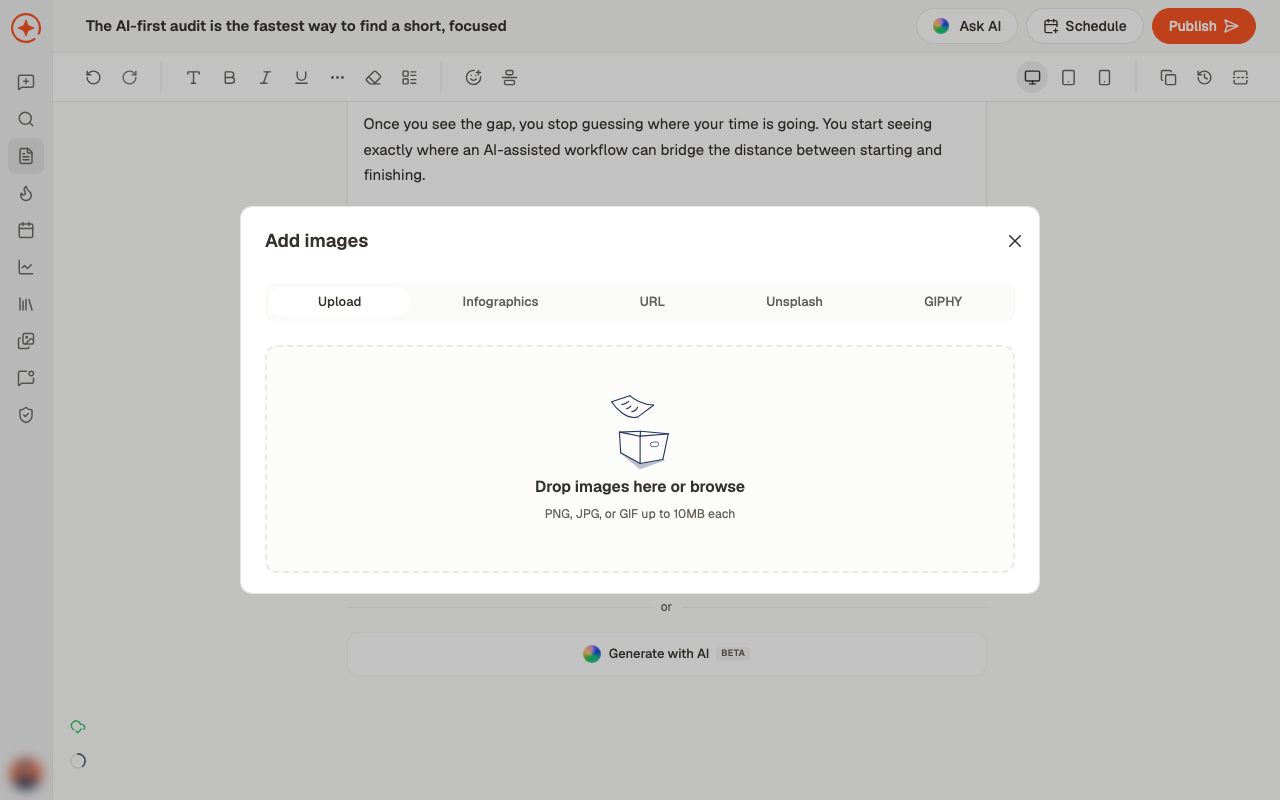
Use **Add media to post** in the editor. What you attach determines how the post appears on
LinkedIn, so it's worth picking deliberately rather than adding an image out of habit.
 ## What you can add
One or several. Drop them in or browse.
With an optional thumbnail — worth setting, since it's what people see before pressing
play.
A multi-page PDF that LinkedIn shows as swipeable slides.
A question with options and a duration.
There's also **Generate with AI**, marked BETA, for creating an image rather than uploading
one.
## Carousels
A carousel is a PDF. Each page becomes a slide, so build it at the size you want it read —
square or portrait works better than landscape, because it takes up more of the feed.
If you want Depost AI to write one, ask in chat for carousel content and it will structure the
slides. See [repurposing](/chat/repurpose).
## Polls
Polls need a question, options, and a duration. They tend to get engagement, but that
engagement is shallow — a vote is not a conversation. Use them to learn something, not to
game reach.
## Choosing a format
Perfectly normal. A well-written text post is not a lesser post, and it's the fastest to
produce.
Use one when it shows something words would labour — a chart, a screenshot, a before and
after. A stock photo adds nothing.
When the idea has steps or parts that each deserve their own moment.
When your face or voice is the point — a story, an opinion, a demo.
**Next:** get it out. See [schedule or publish](/posts/schedule-or-publish).
## Related
Where media is added.
Generate a branded visual instead of uploading one.
Turn a post into carousel content.
## What you can add
One or several. Drop them in or browse.
With an optional thumbnail — worth setting, since it's what people see before pressing
play.
A multi-page PDF that LinkedIn shows as swipeable slides.
A question with options and a duration.
There's also **Generate with AI**, marked BETA, for creating an image rather than uploading
one.
## Carousels
A carousel is a PDF. Each page becomes a slide, so build it at the size you want it read —
square or portrait works better than landscape, because it takes up more of the feed.
If you want Depost AI to write one, ask in chat for carousel content and it will structure the
slides. See [repurposing](/chat/repurpose).
## Polls
Polls need a question, options, and a duration. They tend to get engagement, but that
engagement is shallow — a vote is not a conversation. Use them to learn something, not to
game reach.
## Choosing a format
Perfectly normal. A well-written text post is not a lesser post, and it's the fastest to
produce.
Use one when it shows something words would labour — a chart, a screenshot, a before and
after. A stock photo adds nothing.
When the idea has steps or parts that each deserve their own moment.
When your face or voice is the point — a story, an opinion, a demo.
**Next:** get it out. See [schedule or publish](/posts/schedule-or-publish).
## Related
Where media is added.
Generate a branded visual instead of uploading one.
Turn a post into carousel content.