> ## Documentation Index
> Fetch the complete documentation index at: https://docs.depost.ai/llms.txt
> Use this file to discover all available pages before exploring further.
# Chrome extensions
> Depost Sync keeps your analytics current. The engagement extension works LinkedIn with you.
There are two, and they do different jobs. You can install either, both, or neither —
nothing else in Depost AI stops working without them.
| | **Depost Sync** | **Engagement extension** |
| - | - | - |
| Job | Keeps your posts and stats current | Save, prospect and reply while you read |
| Works | Quietly, on a schedule | When you click something |
| You need it for | Analytics that stay up to date | Bookmarks, lead lists, replies |
## Depost Sync
When you signed up, Depost AI read your profile and your recent posts, up to the last 40, once.
That snapshot is what your strategy and voice were built from, and it doesn't refresh
itself.
Sync is what keeps it current afterwards. It re-reads your published posts and their
performance in the background, so analysis is about what you published recently rather than
what existed on the day you joined.
Some LinkedIn metrics are only visible while you're signed in on LinkedIn itself, which is
the other reason it exists — those numbers can't be fetched any other way.
**It only reads, and only your own material.** Sync runs periodically, stays within
LinkedIn's normal usage limits, and never posts, comments, messages, or visits profiles
for you. Those are the behaviors that get accounts restricted, and it doesn't do them.
If your analytics look stale, an unconnected Sync is the usual reason. Check that before
assuming the numbers are wrong.
## The engagement extension
This one is hands-on. It puts Depost AI inside LinkedIn while you're reading, which is where
most bookmarks and prospects actually get added — not from the dashboard.
* **Save posts** to your bookmarks as you come across them
* **Add people** to your lead lists from a profile or a comment thread
* **Draft replies** using your brand voice and reply preferences
 ## Connecting either one
From the Chrome Web Store.
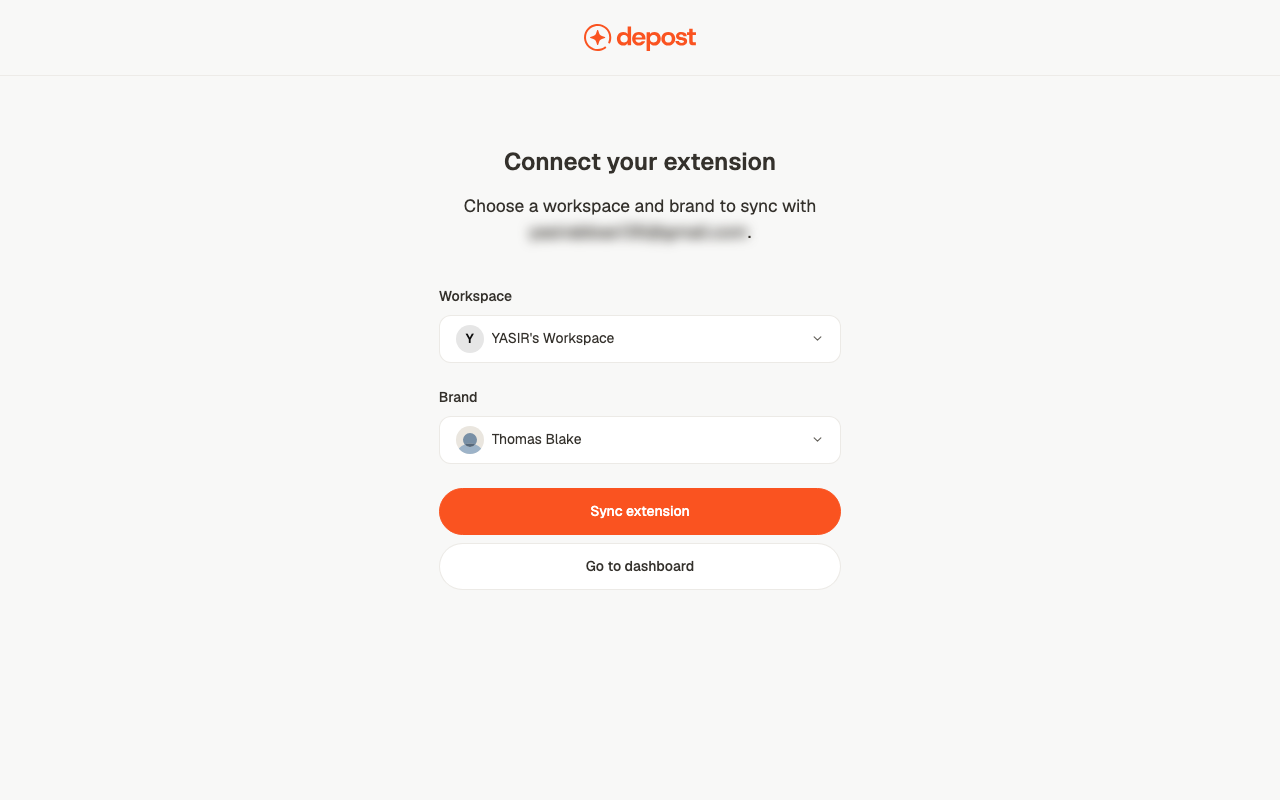
On first connect you pick a **workspace** and a **brand**. Saved posts, prospects and
synced stats all go there — worth getting right if you run more than one brand.
**Settings → Personal brand → Social accounts** shows connection status.
## Related
Where Sync fits in setup, and what works without it.
Where saved prospects appear.
Where saved posts appear.
The data Sync keeps current.
This documentation is built and hosted on [Mintlify](https://mintlify.com), a developer documentation platform.
## Connecting either one
From the Chrome Web Store.
On first connect you pick a **workspace** and a **brand**. Saved posts, prospects and
synced stats all go there — worth getting right if you run more than one brand.
**Settings → Personal brand → Social accounts** shows connection status.
## Related
Where Sync fits in setup, and what works without it.
Where saved prospects appear.
Where saved posts appear.
The data Sync keeps current.
This documentation is built and hosted on [Mintlify](https://mintlify.com), a developer documentation platform.